
Reviews
Ihre Grafiken verleihen meinen Präsentationen eine nette Note, und ich habe sie kürzlich für eines meiner All-Hands-Meetings verwendet. Ihre Toolbox verleiht meinen Folien Professionalität, anstatt Standard-Clipart zu verwenden.
Ich brauchte einen neuen Blick auf einige meiner Folien. Ich habe versucht, einen Weg zu finden, einen Pinselschlag-Effekt zu erzielen, um zu unterstreichen, hervorzuheben, Farbe hinzuzufügen, und die handgeschriebenen Markierungen waren genau das Richtige. Sehr einfach zu bedienen, leicht in der Größe zu ändern, die Farbe zu ändern. Es war eine erschwingliche, perfekte Lösung und ich empfehle sie gerne weiter.
Die klare, saubere Optik der Grafiken und die Tatsache, dass ich die Farben leicht bearbeiten und an die Vorlage anpassen konnte, war mein Hauptgrund für den Kauf.
Description
Your sample text here
Slide Content
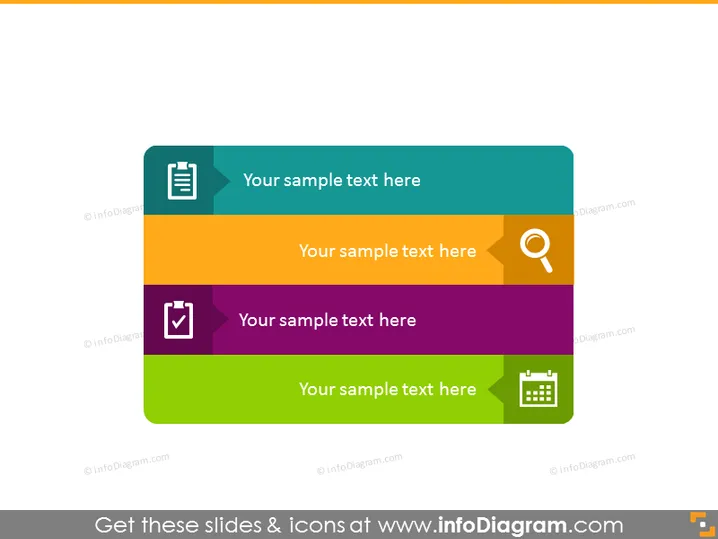
The PowerPoint slide appears to depict a generic placeholder for multiple text entries, each associated with a unique color and icon. The colors are bright and distinct, providing a clear separation for the text. Each item could represent a different concept or topic for discussion, though without specific content it's unclear what each is meant to symbolize. The accompanying icons suggest a note-taking feature, a search function, a task verification or checklist, and a calendar or event scheduling.
Graphical Look
- Four horizontal colored bars of varying tones: light blue, orange, purple, and green.
- Each bar has a white icon in the left-hand corner; the icons represent different themes or actions.
- The icons are: a notepad, a magnifying glass, a tick inside a shield, and a calendar.
- Each colored bar has placeholder text aligned centrally, intended for replacement with specific content.
- The slide background behind the colored bars is a pale gray, subtly contrasting with the vibrancy of the bars.
The overall look of the slide is modern and clean, with a clear structure that is visually appealing. The use of color coding and icons helps to differentiate between topics or steps, making it easy to follow.
Use Cases
- To outline different stages or steps in a process, with each color and icon representing a particular stage.
- For summarizing different topics in a presentation, using the colors and icons to easily identify each subject.
- To showcase a list of features or benefits of a product or service, where each bar can highlight a unique selling point.
- As an agenda or overview slide, where each section represents a different part of the meeting or event, depicted by the icon.
How to Edit
How to edit text & colors

How to expand / shorten diagram

How to Replace Icons in infoDiagram PPT


