

Your graphics add a nice touch to my presentations and I recently used them for one of my all-hands meetings. Your toolbox adds professionalism to my slides. Instead of using standard clipart.
Claude Jones, Director of Engineer, @Walmartlabs, USA

Your graphics add a nice touch to my presentations and I recently used them for one of my all-hands meetings. Your toolbox adds professionalism to my slides. Instead of using standard clipart.
Claude Jones, Director of Engineer, @Walmartlabs, USA
I needed a fresh look at some of my slides. I've tried to find a way to create a paintbrush effect, to underline, accentuate, add some color and the handwritten markers were just the things. Very easy to use, easy to size, change the color. It was an affordable, perfect solution and I'm happy to recommend it.
Anonymous, US
The crisp, clean look of the graphics, and the fact that it allowed me to easily edit and change the colors to match the template was my main reason for purchasing them.
Brandie Jenkins, E-learning Developer, USA
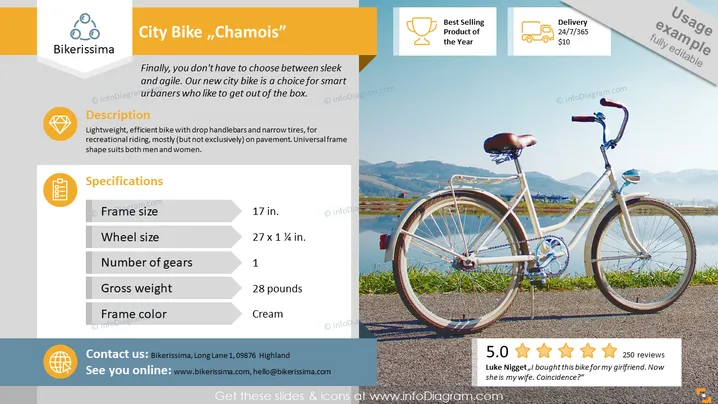
The PowerPoint slide features the "City Bike „Chamois”", emphasizing its appeal for urban cyclists. It includes a brief description stating it's a lightweight and efficient bike ideal for city riding, with a universal frame shape suitable for both men and women. Specifications are listed, detailing the frame size (17 inches), wheel size (27 x 1 ¼ inches), number of gears (1), gross weight (28 pounds), and frame color (cream). A customer testimonial with a 5-star rating adds a personal touch, suggesting satisfaction with the product.
The slide is visually balanced, with a harmonious blend of text and imagery. The right side showcases the product in its intended environment, while the left side provides detailed information in an organized manner.



