
Reviews
Your graphics add a nice touch to my presentations and I recently used them for one of my all-hands meetings. Your toolbox adds professionalism to my slides. Instead of using standard clipart.
I needed a fresh look at some of my slides. I've tried to find a way to create a paintbrush effect, to underline, accentuate, add some color and the handwritten markers were just the things. Very easy to use, easy to size, change the color. It was an affordable, perfect solution and I'm happy to recommend it.
The crisp, clean look of the graphics, and the fact that it allowed me to easily edit and change the colors to match the template was my main reason for purchasing them.
Description
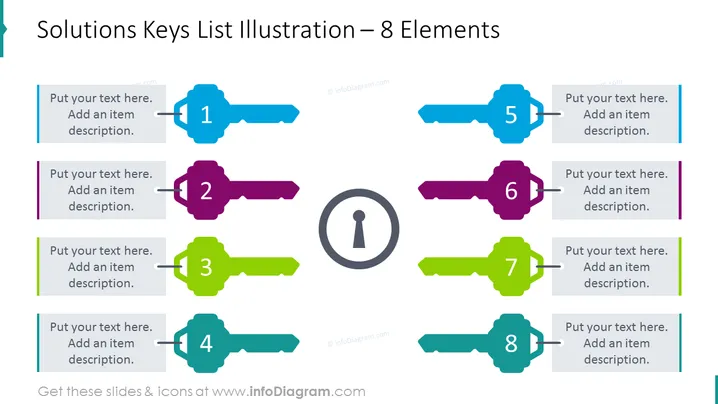
Solutions Keys List Illustration – 8 Elements
Slide Content
This slide contains a visual representation of 8 key solution areas or topics. The keys are arranged symmetrically around a central icon representing a keyhole, suggesting they are all interconnected and necessary for unlocking the potential or solving a problem. Each key consists of a colored label with a corresponding number 1 through 8, which can be linked to text boxes where further descriptions can be filled in.
Graphical Look
- Center: A large circular keyhole icon.
- Around the keyhole: Eight key-shaped graphics pointing inwards, numbered from 1 to 8.
- Each key: Distinctly colored and includes a horizontal area that can hold text.
- Text boxes: Placed adjacent to each key graphic, for item descriptions.
- Color scheme: Multiple colors, with each key and its corresponding text box sharing a specific color.
- Composition: Symmetrically balanced around the central keyhole icon.
- Design style: Flat vector with slight depth through shadows cast by the keys on the background.
The visual composition of the slide is clean and symmetrical, employing a vibrant color palette to differentiate between the elements clearly. The graphic choice of keys and a keyhole effectively conveys concepts of solutions, unlocking potential, and interconnectivity.
Use Cases
- Presenting different components of a strategic plan where each key represents one aspect of the strategy.
- Listing features or benefits of a product or service during a sales or marketing presentation.
- Explaining phases of a project or steps in a process with each key symbolizing a sequential step.
- Conducting a workshop or training session, detailing various skills or concepts that are core to the topic.
How to Edit
How to edit text & colors

How to expand / shorten diagram

How to Replace Icons in infoDiagram PPT


