
Reviews
Your slides are my 'secret sauce' when it comes to visualising my ideas to clients. I'm saving so much time.
InfoDiagram has been a wonderful resource since I found the product site a few years ago.
Your slides often generate good comments and ideas from my team that improve the final slides.
Description
Solution
Slide Content
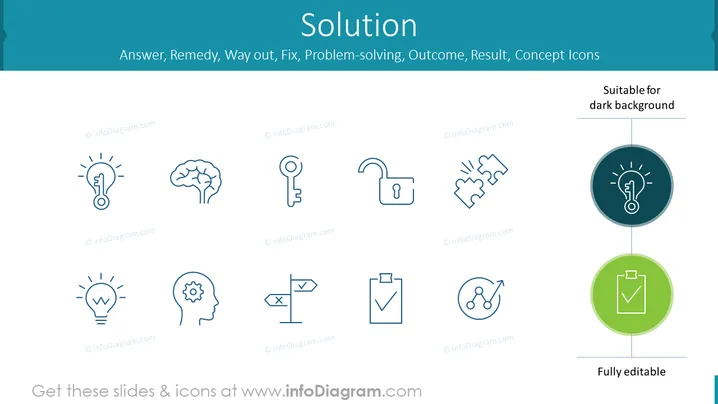
The PowerPoint slide is titled "Solution" and presents a series of ten icons that represent different elements associated with solving problems. These include:
- A lightbulb with a key inside, symbolizing an innovative solution
- A brain, representing thought and intelligence
- A key, denoting access or a solution found
- An unlocked padlock, indicating security or freedom
- Two hands clenched and broken apart, suggesting conflict resolution
- Another lightbulb, signifying a bright idea
- A head with a gear inside, illustrating mental processing or cogitation
- Directional signs representing decision making
- A clipboard with a check for completed tasks
- Nodes with an arrow, possibly implying network solutions or connections
Graphical Look
- The slide background is a light teal color.
- Centered at the top is the slide title "Solution" in a large, bold font.
- A horizontal line separates the title text from the main content.
- There is a subtitle in smaller font: "Answer, Remedy, Way out, Fix, Problem-solving, Outcome, Result, Concept Icons."
- A second horizontal line with the text "Suitable for dark background" is present at the top-right corner.
- Ten icons are evenly distributed in two rows, five in each row.
- Each icon is line art, dark blue in color, and has a label underneath that is a website address obscured for this description.
- At the bottom-right, there's a label "Fully editable."
- Two icons, one on the top right and one on the bottom right, are highlighted with colored circles behind them - blue and green, respectively.
The overall look of the slide is clean and minimalistic, utilizing a consistent color palette and simple icons to convey the concept of "Solution." The icons are easily identifiable, and the slide is visually well-organized.
Use Cases
- Presenting problem-solving strategies or frameworks in a business meeting.
- Demonstrating the multiple facets of a solution during a brainstorming session or workshop.
- Incorporating into a pitch to show how a product or service can be the answer to a client’s needs.
- Using as a slide in educational presentations to teach about various aspects of critical thinking and decision-making.
How to Edit
How to edit text & colors

How to expand / shorten diagram

How to Replace Icons in infoDiagram PPT


