
Reviews
Your graphics add a nice touch to my presentations and I recently used them for one of my all-hands meetings. Your toolbox adds professionalism to my slides. Instead of using standard clipart.
I needed a fresh look at some of my slides. I've tried to find a way to create a paintbrush effect, to underline, accentuate, add some color and the handwritten markers were just the things. Very easy to use, easy to size, change the color. It was an affordable, perfect solution and I'm happy to recommend it.
The crisp, clean look of the graphics, and the fact that it allowed me to easily edit and change the colors to match the template was my main reason for purchasing them.
Description
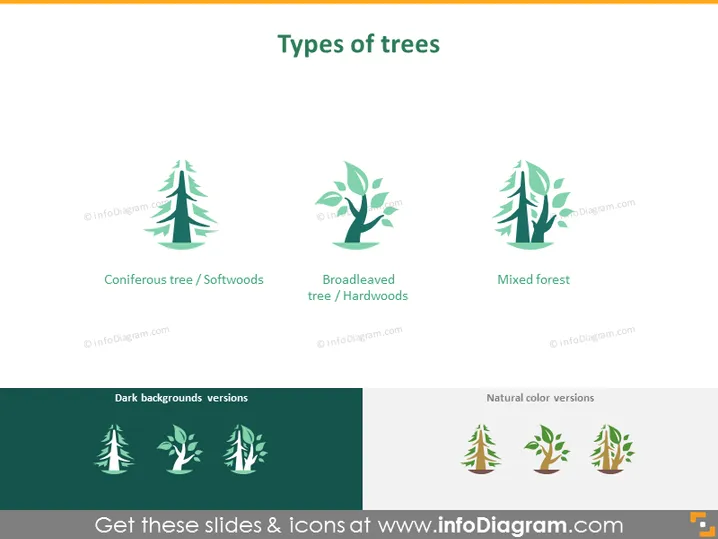
Types of trees
Slide Content
The slide titled "Types of trees" categorizes trees into three groups: Coniferous tree/Softwoods, which typically have needles and cones; Broadleaved tree/Hardwoods, which are usually leaf-bearing and deciduous; and Mixed forest, which implies an ecosystem containing both coniferous and broadleaved trees. Each category has an icon representing the type of tree, providing a visual aid alongside the textual information.
Graphical Look
- The slide has a clean, minimalist design aesthetic.
- There are three main icons, each symbolizing different types of trees.
- Each icon is accompanied by a text label describing the type of tree it represents.
- The upper half of the slide is pale with the titles and icons while the lower half has two sets of the same icons depicted in contrasting backgrounds, labeled as "Dark backgrounds versions" and "Natural color versions."
- The slide uses a muted color palette with shades of green and brown to keep a nature-inspired theme.
- Icons are stylized and modern with simple shapes and lines.
- The layout is symmetrical, with equal spacing between the icons and matching layout in both the upper and lower sections.
The overall look of the slide is modern and professional, with a nature-inspired color scheme that effectively communicates the subject at hand through the use of icons and minimal text.
Use Cases
- To educate about the different categories of trees in a biology or environmental science presentation.
- In a business presentation related to forestry, lumber, or paper industries to discuss various tree types and their uses.
- For an environmental NGO to outline biodiversity or explain the importance of mixed forests in ecological balance.
- As part of an urban planning or landscaping presentation to discuss the selection of tree types for different environments or design purposes.
How to Edit
How to edit text & colors

How to expand / shorten diagram

How to Replace Icons in infoDiagram PPT


