
Reviews
Ihre Grafiken verleihen meinen Präsentationen eine nette Note, und ich habe sie kürzlich für eines meiner All-Hands-Meetings verwendet. Ihre Toolbox verleiht meinen Folien Professionalität, anstatt Standard-Clipart zu verwenden.
Ich brauchte einen neuen Blick auf einige meiner Folien. Ich habe versucht, einen Weg zu finden, einen Pinselschlag-Effekt zu erzielen, um zu unterstreichen, hervorzuheben, Farbe hinzuzufügen, und die handgeschriebenen Markierungen waren genau das Richtige. Sehr einfach zu bedienen, leicht in der Größe zu ändern, die Farbe zu ändern. Es war eine erschwingliche, perfekte Lösung und ich empfehle sie gerne weiter.
Die klare, saubere Optik der Grafiken und die Tatsache, dass ich die Farben leicht bearbeiten und an die Vorlage anpassen konnte, war mein Hauptgrund für den Kauf.
Description
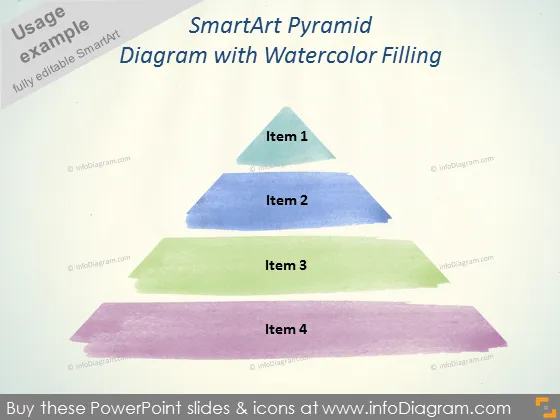
SmartArt Pyramid Diagram with Watercolor Filling
Slide Content
The slide presents a SmartArt pyramid diagram with a watercolor effect to represent different levels or stages. The pyramid is divided into four parts, listing from top to bottom: Item 1, Item 2, Item 3, and Item 4. Each item presumably symbolizes a hierarchical structure or a step in a process where Item 1 represents the pinnacle and Item 4, the base. This visual could be leveraged to illustrate concepts such as priority, foundation, or stages of development.
Graphical Look
- The slide background is a plain, light color.
- A four-level pyramid diagram is centrally displayed.
- Each level of the pyramid has a unique watercolor texture fill.
- The top level is a small triangle in a teal-like color with the label "Item 1".
- Below it is a larger rectangle in blue with the label "Item 2".
- The third level is a green rectangle, larger than the above, with "Item 3".
- The base is the largest rectangle, in purple, labeled "Item 4".
- Each label is in a simple, dark font for contrast against the watercolor texture.
The slide projects a creative and artistic feel due to the watercolor textures of the pyramid. It balances simplicity with visual interest, ensuring the information is clear and engaging.
Use Cases
- To showcase organizational hierarchies or levels in a company structure.
- To present stages of a strategic process or development phases in a project.
- For illustrating foundational concepts, with the most fundamental elements at the base.
- As a visual aid for explaining layered concepts in marketing, such as customer segmentation or product tiering.
How to Edit
How to edit text & colors

How to expand / shorten diagram

How to Replace Icons in infoDiagram PPT


