
Reviews
Sus gráficos añaden un toque agradable a mis presentaciones y recientemente los usé para una de mis reuniones generales. Su conjunto de herramientas añade profesionalismo a mis diapositivas. En lugar de usar imágenes prediseñadas estándar.
Necesitaba un aspecto fresco para algunas de mis diapositivas. Había intentado encontrar una forma de crear un efecto de pincel, de subrayar, acentuar, añadir algo de color y los marcadores escritos a mano fueron justo lo que necesitaba. Muy fácil de usar, fácil de ajustar el tamaño, cambiar el color. Fue una solución asequible y perfecta, y estoy feliz de recomendarla.
El aspecto nítido y limpio de los gráficos, y el hecho de que me permitiera editar y cambiar fácilmente los colores para que coincidieran con la plantilla fue mi principal razón para comprarlos.
Description
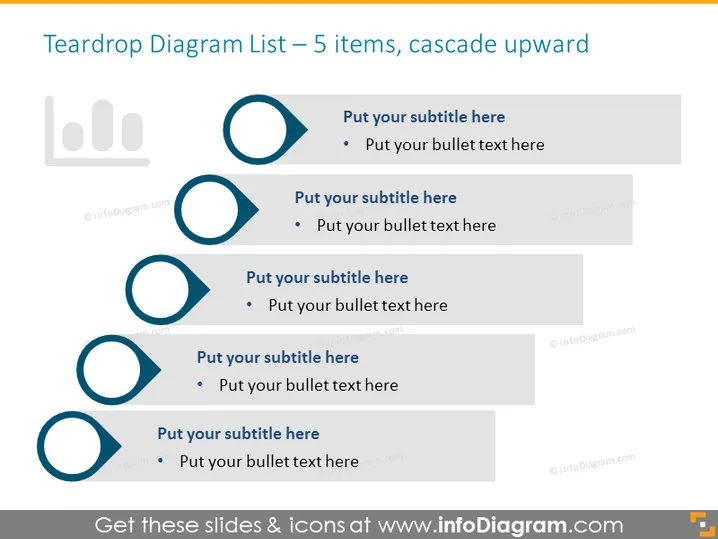
Teardrop Diagram List – 5 items, cascade upward
Slide Content
The slide titled "Teardrop Diagram List – 5 items, cascade upward" is designed to illustrate a sequential or hierarchical set of information with five key points. Each teardrop shape acts as a bullet, indicating a step or an element, that is complemented with a corresponding subtitle and space for additional descriptive text. Starting from the bottom, the teardrops are shown in ascending order, implying progression or prioritization from one item to the next.
Graphical Look
- The slide background is a plain, light color.
- Five teardrop-shaped icons are arranged in a vertical cascade, increasing in size from the top to bottom.
- Each teardrop icon has a unique color fill, with the first teardrop at the bottom being the lightest and the last at the top being the darkest.
- To the right of each teardrop icon, there's a text box with a placeholder for a subtitle and additional bulleted text.
- The text boxes for subtitles are semi-transparent with a darker shade at the top progressively becoming lighter towards the bottom.
- There is a small, light-colored user interface icon in the top left corner, resembling a bar graph.
The slide has a minimalist and modern aesthetic, with a clear hierarchy given by the size and color gradient of the teardrop shapes and text boxes. The design is clean, focusing attention on the sequence of points presented.
Use Cases
- Outlining steps in a process or workflow, with each teardrop representing a different stage of progression.
- Presenting a list of priorities or goals, with the cascade indicating their relative importance or order.
- Summarizing key points in a project proposal, where each item needs to be considered sequentially.
- Explaining a set of principles or strategies, utilizing the visual cascade to guide the audience through the concepts.
How to Edit
How to edit text & colors

How to expand / shorten diagram

How to Replace Icons in infoDiagram PPT


