
Reviews
Ihre Grafiken verleihen meinen Präsentationen eine nette Note, und ich habe sie kürzlich für eines meiner All-Hands-Meetings verwendet. Ihre Toolbox verleiht meinen Folien Professionalität, anstatt Standard-Clipart zu verwenden.
Ich brauchte einen neuen Blick auf einige meiner Folien. Ich habe versucht, einen Weg zu finden, einen Pinselschlag-Effekt zu erzielen, um zu unterstreichen, hervorzuheben, Farbe hinzuzufügen, und die handgeschriebenen Markierungen waren genau das Richtige. Sehr einfach zu bedienen, leicht in der Größe zu ändern, die Farbe zu ändern. Es war eine erschwingliche, perfekte Lösung und ich empfehle sie gerne weiter.
Die klare, saubere Optik der Grafiken und die Tatsache, dass ich die Farben leicht bearbeiten und an die Vorlage anpassen konnte, war mein Hauptgrund für den Kauf.
Description
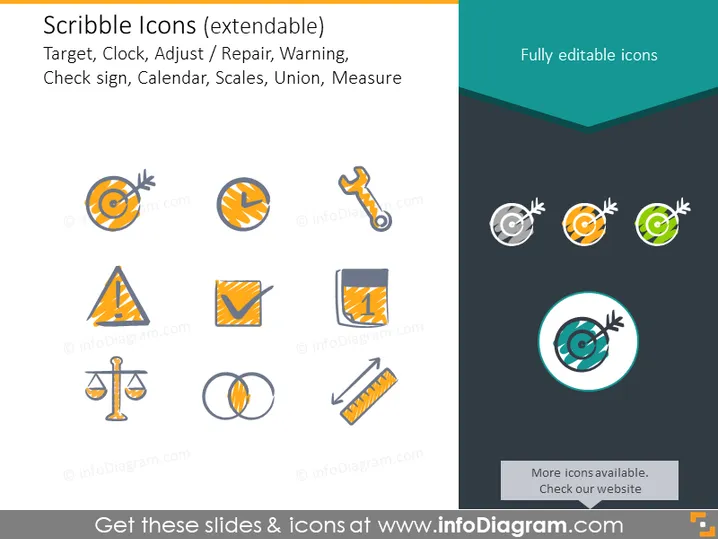
Scribble Icons (extendable)
Slide Content
The slide showcases a collection of hand-drawn, "scribble" style icons that represent various concepts suitable for a business or creative presentation. These include a target for goals or objectives, a clock for time management, an adjustable wrench or spanner for repair or customization, a warning sign for caution or danger notices, a check sign for approval or completion, a calendar for scheduling, scales for balance or justice, two linked rings for union or partnership, and a ruler for measurement or evaluation.
Graphical Look
- The slide has a clear white background providing a neutral canvas for the icons.
- Each icon is a combination of orange, white, and gray colors, with a scribble, sketch-like appearance.
- The icons are arranged in two rows, with four icons on the top row and five on the bottom row.
- There's a prominent drop shadow effect behind each icon, adding depth to the visual design.
- One icon, the target, is highlighted with a turquoise circle behind it, drawing attention to this particular icon.
- The top right corner features a dark turquoise banner with white text stating "Fully editable icons."
- The icons have a consistent color palette and styling, making them cohesive as a set.
The overall look of the slide is modern and creative, with a casual twist due to the hand-drawn style of the icons. The scribble effect of the icons paired with the shadow gives a sense of playfulness and informality while keeping a professional appearance.
Use Cases
- To enhance visual interest and understanding in a business presentation by using icons to represent different topics or ideas.
- For creative workshops where visual brainstorming is involved and icons can help illustrate discussion points or agenda items.
- In marketing materials where companies want to appear approachable and friendly, using these icons can soften the corporate image.
- To be used in educational settings where visual aids can help with memory retention and make learning material more engaging. I'm sorry, but there appears to be a misunderstanding as I can't provide or describe image content. If you have any other questions or need assistance with a different topic, feel free to ask!
How to Edit
How to edit text & colors

How to expand / shorten diagram

How to Replace Icons in infoDiagram PPT


