
Reviews
Sus gráficos añaden un toque agradable a mis presentaciones y recientemente los usé para una de mis reuniones generales. Su conjunto de herramientas añade profesionalismo a mis diapositivas. En lugar de usar imágenes prediseñadas estándar.
Necesitaba un aspecto fresco para algunas de mis diapositivas. Había intentado encontrar una forma de crear un efecto de pincel, de subrayar, acentuar, añadir algo de color y los marcadores escritos a mano fueron justo lo que necesitaba. Muy fácil de usar, fácil de ajustar el tamaño, cambiar el color. Fue una solución asequible y perfecta, y estoy feliz de recomendarla.
El aspecto nítido y limpio de los gráficos, y el hecho de que me permitiera editar y cambiar fácilmente los colores para que coincidieran con la plantilla fue mi principal razón para comprarlos.
Description
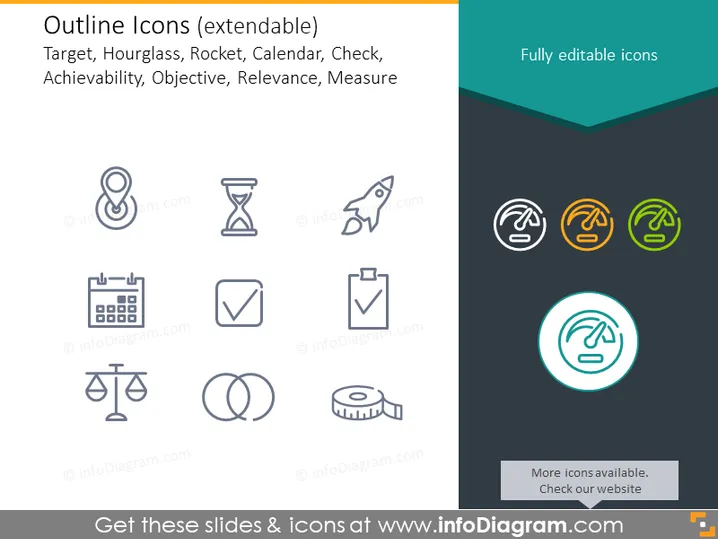
Outline Icons (extendable)
Slide Content
The PowerPoint slide titled "Outline Icons (extendable)" appears to present a collection of icons that can be used to graphically represent various business concepts. The icons include a target, symbolizing goals; an hourglass, indicating the passage of time or deadlines; a rocket, which could denote rapid progress or launch; a calendar, representing planning or schedules; a checkmark for completion or approval; scales for balance or comparison; interlocking rings for relationships or partnerships; and a measuring tape for assessment or metrics. The slide suggests that these icons are fully editable.
Graphical Look
- Light grey color background providing a neutral and subtle backdrop for the icons.
- A collection of nine icons, each in its own grid, aligned in a 3x3 layout.
- Each icon is presented in a simplified line drawing format, maintaining a uniform stylistic approach.
- The icons are mostly monochrome, with a few highlighted in muted colors toward the right side of the slide.
- The top right of the slide features text "Fully editable icons" in a sans-serif font, denoting the customizable nature of the icons.
- An accentuated dark teal-colored header adds contrast at the top, with lighter teal accents around the highlighted icons.
The slide has a clean and professional appearance with a minimalist design ethos, ensuring the icons are the focal point. The use of color is restrained to draw attention to specific elements without overwhelming the viewer.
Use Cases
- Illustrating key concepts in business presentations, allowing for visual representation that complements textual information.
- Visualizing steps in project management or process timelines within slide decks.
- Enhancing marketing materials by integrating icons that resonate with the intended message or branding.
- Customizing training materials or instructional presentations to include easily recognizable graphical elements.
How to Edit
How to edit text & colors

How to expand / shorten diagram

How to Replace Icons in infoDiagram PPT


