
Reviews
Vos graphiques ajoutent une belle touche à mes présentations et je les ai récemment utilisés pour l'une de mes réunions générales. Votre boîte à outils ajoute du professionnalisme à mes diapositives. Au lieu d'utiliser des cliparts standards.
J'avais besoin d'un nouveau regard sur certaines de mes diapositives. J'ai essayé de trouver un moyen de créer un effet de pinceau, de souligner, d'accentuer, d'ajouter de la couleur et les marqueurs manuscrits étaient exactement ce qu'il fallait. Très facile à utiliser, facile à ajuster la taille, à changer la couleur. C'était une solution abordable et parfaite et je suis heureux de la recommander.
L'aspect net et épuré des graphiques, et le fait qu'il m'ait permis d'éditer et de changer facilement les couleurs pour les adapter au modèle, ont été les principales raisons de mon achat.
Description
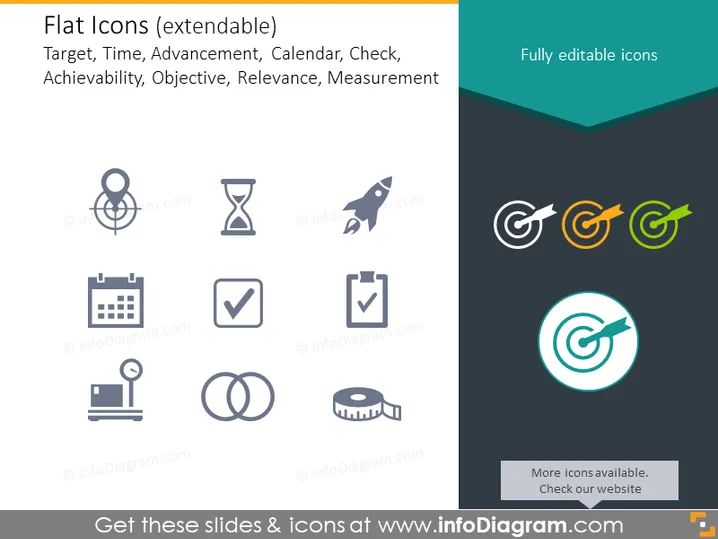
Flat Icons (extendable)
Slide Content
This slide presents a selection of 'Flat Icons' indicating they're part of an extendable set. These icons represent various concepts: 'Target' symbolizes goals or objectives, 'Time' with an hourglass icon for duration or deadlines, 'Advancement' shown by a rocket for growth or acceleration, 'Calendar' for scheduling, 'Check' for approval or completion, 'Achievability' is not directly represented by an icon, 'Objective' which aligns with 'Target', 'Relevance' lacks an icon, and 'Measurement' exemplified with a measuring tape icon for quantification or assessment.
Graphical Look
- The slide background is a light gray color with a darker gray footer.
- The title is in the upper left, with a teal underline.
- There is a subtitle beneath the title, typed in smaller font.
- A total of eight icons are distributed evenly in two rows on the left side of the slide.
- The icons are all monochromatic, using different shades of gray.
- Each icon has a corresponding label beneath it.
- On the right side of the slide, there are three 'Target' icons aligned horizontally with color variation (gray, orange, and green).
- Below these, there is a larger 'Target' icon circled in teal.
- Each icon on the right is labelled as "Fully editable icons."
- There is a text box at the bottom, right above the footer, stating "More icons available. Check our website" with an arrow pointing right.
The slide has a modern and minimalistic design with a focus on simplicity and ease of comprehension. The use of flat and monochromatic colors for the icons ensures they are clear and unobtrusive.
Use Cases
- Utilizing the slide in business meetings to visually represent various project stages or statuses.
- Introducing clear and simple iconography in instructional materials for easy reference and understanding.
- Incorporating these icons into marketing presentations to highlight different aspects of a product or service in a visually appealing manner.
- Using these icons in an agenda or report to categorize and organize information by theme or priority.
How to Edit
How to edit text & colors

How to expand / shorten diagram

How to Replace Icons in infoDiagram PPT


