
Reviews
Ihre Grafiken verleihen meinen Präsentationen eine nette Note, und ich habe sie kürzlich für eines meiner All-Hands-Meetings verwendet. Ihre Toolbox verleiht meinen Folien Professionalität, anstatt Standard-Clipart zu verwenden.
Ich brauchte einen neuen Blick auf einige meiner Folien. Ich habe versucht, einen Weg zu finden, einen Pinselschlag-Effekt zu erzielen, um zu unterstreichen, hervorzuheben, Farbe hinzuzufügen, und die handgeschriebenen Markierungen waren genau das Richtige. Sehr einfach zu bedienen, leicht in der Größe zu ändern, die Farbe zu ändern. Es war eine erschwingliche, perfekte Lösung und ich empfehle sie gerne weiter.
Die klare, saubere Optik der Grafiken und die Tatsache, dass ich die Farben leicht bearbeiten und an die Vorlage anpassen konnte, war mein Hauptgrund für den Kauf.
Description
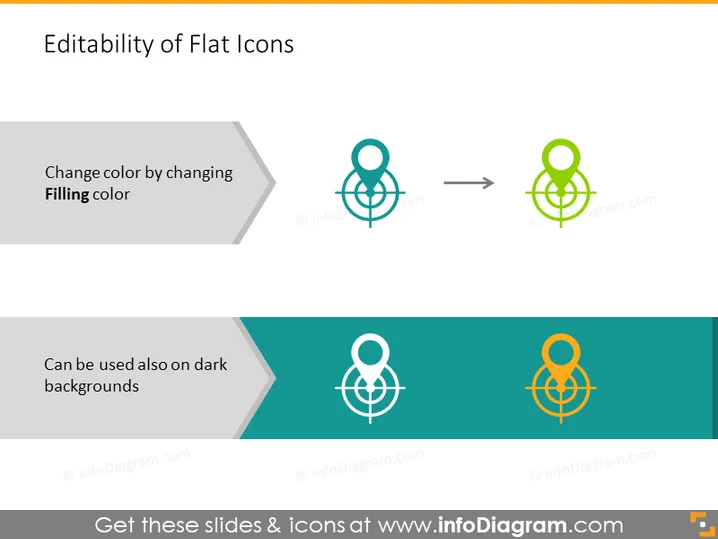
Editability of Flat Icons
Slide Content
The slide titled "Editability of Flat Icons" illustrates how flat icons can be modified to suit different design needs. It showcases the adaptability of these icons for customization and varying background contrasts. The first concept is altering the icon color by changing the "Filling color," implying the ability to match icons to a specific color scheme. The second concept is the usability of icons on dark backgrounds, indicating the icons maintain their integrity and visibility on varying background shades.
Graphical Look
- The slide has a clean and modern design with a white background.
- A flat-styled icon, resembling an abstract symbol composed of interconnected circles and lines, is presented twice on the slide.
- The icon transformation is depicted with an arrow between the original teal-colored icon and its altered state in green, demonstrating the color change.
- The top section of the slide exhibits a light grey background with a darker shaded arrow pointing to the right, which visually supports the instruction to change the icon's filling color.
- The bottom section shows a teal background with an orange version of the icon to denote the effectiveness of the icon's use on dark backgrounds.
- Both sections include succinct textual explanations in minimalistic black fonts that are easy to read.
The slide's graphical layout is simple yet effectively conveys the flexibility of icon customization. The use of contrasting background colors in the slide's split design accentuates the icon visibility against different backdrops.
Use Cases
- Demonstrating the customization of branding materials in marketing presentations.
- Explaining icon design versatility during a web design or user interface presentation.
- Training employees on how to adapt company graphics for various uses.
- Showcasing the adaptability of digital assets in a pitch to potential clients looking for flexible design solutions.
How to Edit
How to edit text & colors

How to expand / shorten diagram

How to Replace Icons in infoDiagram PPT


