
Reviews
Vos graphiques ajoutent une belle touche à mes présentations et je les ai récemment utilisés pour l'une de mes réunions générales. Votre boîte à outils ajoute du professionnalisme à mes diapositives. Au lieu d'utiliser des cliparts standards.
J'avais besoin d'un nouveau regard sur certaines de mes diapositives. J'ai essayé de trouver un moyen de créer un effet de pinceau, de souligner, d'accentuer, d'ajouter de la couleur et les marqueurs manuscrits étaient exactement ce qu'il fallait. Très facile à utiliser, facile à ajuster la taille, à changer la couleur. C'était une solution abordable et parfaite et je suis heureux de la recommander.
L'aspect net et épuré des graphiques, et le fait qu'il m'ait permis d'éditer et de changer facilement les couleurs pour les adapter au modèle, ont été les principales raisons de mon achat.
Description
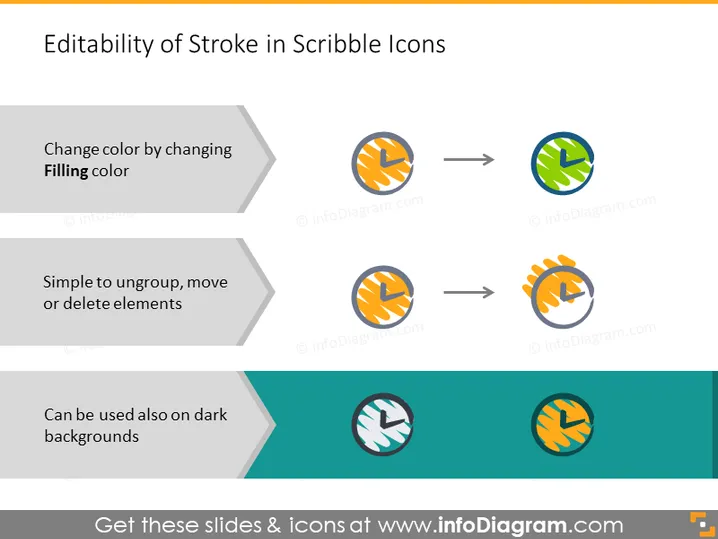
Editability of Stroke in Scribble Icons
Slide Content
The PowerPoint slide is about "Editability of Stroke in Scribble Icons," demonstrating the customization flexibility of scribble-style icons. It explains that users can change the icon colors, easily ungroup, move, or delete elements, and that these icons are versatile enough to be used on different background colors, including dark backgrounds. Each point is expanded with an example icon showing the before and after of the modification, such as a color change or adaptation to a dark background.
Graphical Look
- Two-toned light and dark gray horizontal bars extend across the top of the slide, framing the title in bold, black serif font.
- Three pairs of circular scribble icons are aligned horizontally, each pair below one of the three descriptive phrases.
- The left icons of each pair are encased in a gray circle and the right icons exhibit color changes or context adjustments, indicating the editability mentioned.
- Arrows between icon pairs are used to visually represent the change or action being described.
- The bottom bar, in a contrasting dark teal color, showcases scribble icons adjusted for dark backgrounds.
- Each descriptive phrase is in a dark gray text box with a lighter gray arrow pointing towards the associated icons.
The slide has a flat design aesthetic with minimal shadows and a clean, professional look. The scribble icons and the change they undergo add a dynamic quality to the presentation.
Use Cases
- Introducing designers to the flexibility and customizable features of a new icon set during a team meeting.
- Explaining icon adaptability to clients when presenting branding or design strategy options.
- Training non-designers, such as marketers or content creators, on how to edit slide elements for different presentation contexts.
- Demonstrating design versatility at a workshop or seminar on graphic design or user interface customization.
How to Edit
How to edit text & colors

How to expand / shorten diagram

How to Replace Icons in infoDiagram PPT


