

Your graphics add a nice touch to my presentations and I recently used them for one of my all-hands meetings. Your toolbox adds professionalism to my slides. Instead of using standard clipart.
Claude Jones, Director of Engineer, @Walmartlabs, USA

Your graphics add a nice touch to my presentations and I recently used them for one of my all-hands meetings. Your toolbox adds professionalism to my slides. Instead of using standard clipart.
Claude Jones, Director of Engineer, @Walmartlabs, USA
I needed a fresh look at some of my slides. I've tried to find a way to create a paintbrush effect, to underline, accentuate, add some color and the handwritten markers were just the things. Very easy to use, easy to size, change the color. It was an affordable, perfect solution and I'm happy to recommend it.
Anonymous, US
The crisp, clean look of the graphics, and the fact that it allowed me to easily edit and change the colors to match the template was my main reason for purchasing them.
Brandie Jenkins, E-learning Developer, USA
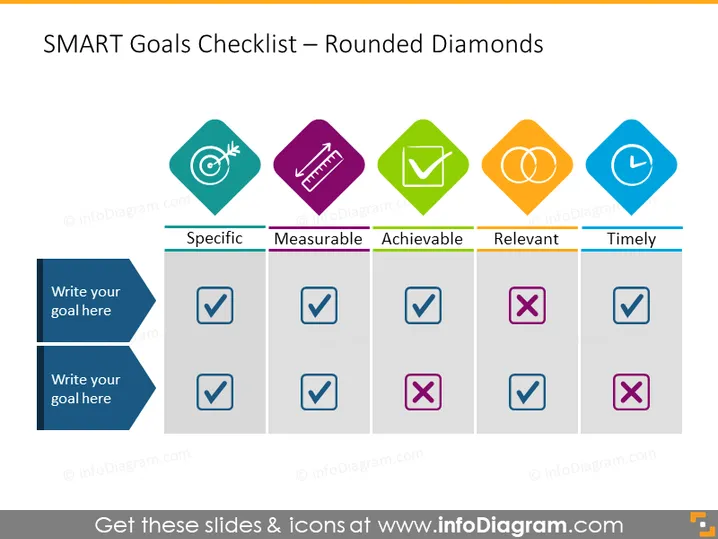
The slide presents a checklist for evaluating goals using the SMART criteria: Specific, Measurable, Achievable, Relevant, and Timely. There are two goals listed, where each criterion is marked with a check (✓) for 'yes' or a cross (✗) for 'no'. "Specific" implies being clear about what needs to be achieved, "Measurable" indicates the goal must be quantifiable, "Achievable" stresses the importance of the goal being realistic, "Relevant" means the goal should align with broader objectives, and "Timely" signifies the goal should have a defined timeline.
The slide has a clean and professional look with a harmonious balance between text and graphics. The usage of color-coding and icons provides an intuitive guide for the audience to quickly understand the status of each goal relative to the SMART criteria.



