
Reviews
Your graphics add a nice touch to my presentations and I recently used them for one of my all-hands meetings. Your toolbox adds professionalism to my slides. Instead of using standard clipart.
I needed a fresh look at some of my slides. I've tried to find a way to create a paintbrush effect, to underline, accentuate, add some color and the handwritten markers were just the things. Very easy to use, easy to size, change the color. It was an affordable, perfect solution and I'm happy to recommend it.
The crisp, clean look of the graphics, and the fact that it allowed me to easily edit and change the colors to match the template was my main reason for purchasing them.
Description
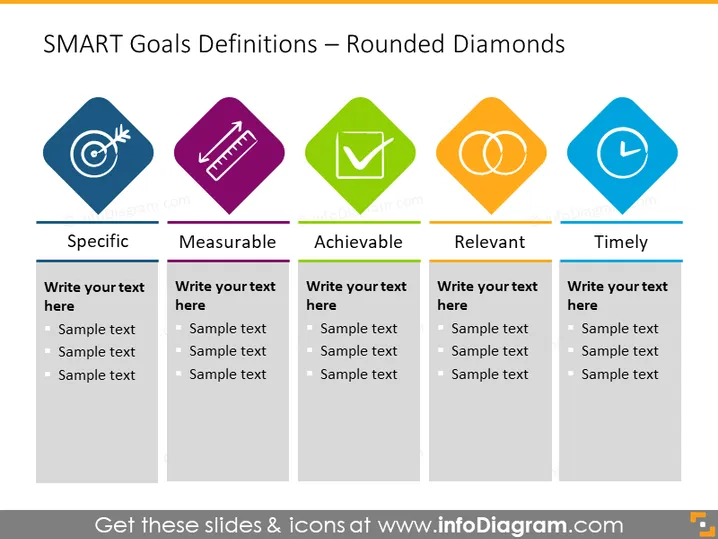
SMART Goals Definitions – Rounded Diamonds
Slide Content
This PowerPoint slide presents the SMART goals framework using rounded diamond graphics. The acronym SMART stands for Specific, Measurable, Achievable, Relevant, and Timely—criteria for setting goals effectively. Each term of the acronym is associated with a colored diamond icon and space beneath for custom text: Specific is linked to a blue diamond with a target icon, Measurable to a purple diamond with a ruler, Achievable to a green diamond with a checkmark, Relevant to an orange diamond with overlapping circles, and Timely to another blue diamond with a clock icon. Adjacent to each colored diamond are bullet point placeholders for further elaboration on each attribute of the SMART criteria.
Graphical Look
- Slide has a title at the top in a large, bold font.
- There are five colored diamonds, each one with a distinct icon representing the concept it is associated to.
- Icons within the diamonds include a target (Specific), a ruler (Measurable), a checkmark (Achievable), overlapping circles (Relevant), and a clock (Timely).
- The diamonds are arranged in a horizontal row across the slide.
- Below each diamond is a text box with a placeholder "Write your text here" and several bullet points labeled "Sample text."
- Each text box is aligned directly beneath its corresponding diamond.
- The slide's background appears to be a plain, light color, offering a clean contrast to the vibrant diamond graphics.
The slide has a modern and professional aesthetic, combining colorful graphics with a clear, organized layout designed for instructional or explanatory purposes.
Use Cases
- Presenting the components of the SMART goals framework in a business strategy meeting to ensure all team goals adhere to these principles.
- Conducting a workshop on effective goal setting, using the slide to illustrate and discuss each criterion in detail.
- Including the slide in an educational presentation to help students or trainees understand the importance of setting well-defined goals.
- Utilizing the slide during a personal development or coaching session to guide clients in creating SMART goals for career progression or personal growth.
How to Edit
How to edit text & colors

How to expand / shorten diagram

How to Replace Icons in infoDiagram PPT


