
Reviews
Ihre Grafiken verleihen meinen Präsentationen eine nette Note, und ich habe sie kürzlich für eines meiner All-Hands-Meetings verwendet. Ihre Toolbox verleiht meinen Folien Professionalität, anstatt Standard-Clipart zu verwenden.
Ich brauchte einen neuen Blick auf einige meiner Folien. Ich habe versucht, einen Weg zu finden, einen Pinselschlag-Effekt zu erzielen, um zu unterstreichen, hervorzuheben, Farbe hinzuzufügen, und die handgeschriebenen Markierungen waren genau das Richtige. Sehr einfach zu bedienen, leicht in der Größe zu ändern, die Farbe zu ändern. Es war eine erschwingliche, perfekte Lösung und ich empfehle sie gerne weiter.
Die klare, saubere Optik der Grafiken und die Tatsache, dass ich die Farben leicht bearbeiten und an die Vorlage anpassen konnte, war mein Hauptgrund für den Kauf.
Description
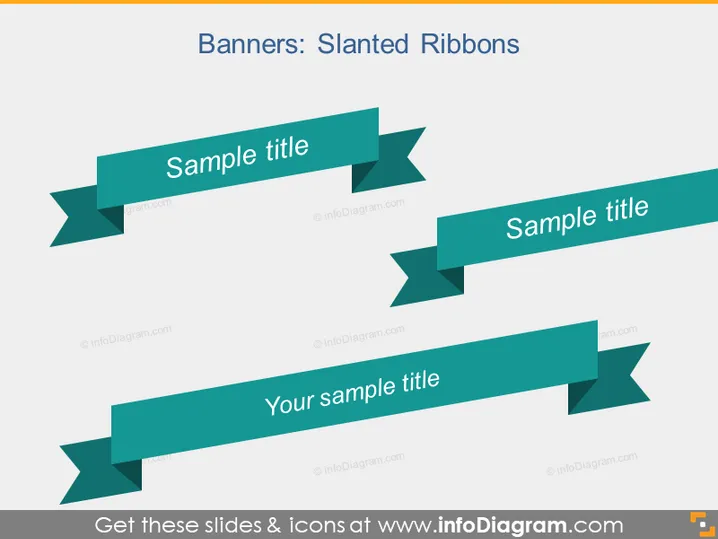
Banners: Slanted Ribbons
Slide Content
The PowerPoint slide titled "Banners: Slanted Ribbons" showcases three variations of banner designs which can be used for highlighting titles or important information. Each banner, depicted as a stylized ribbon with two tails, features text placeholders labeled "Sample title" or "Your sample title," suggesting that these graphics serve the purpose of drawing attention and can be customized with specific titles or key points.
Graphical Look
- Three overlapping slanted ribbon banners with different angles and positions on the slide.
- Each ribbon banner is a shade of teal/turquoise and contains a white text label.
- The ribbons have a distinct shadow effect giving them a 3D appearance and adding depth to the design.
- The slide background is a light grey, making the teal ribbons stand out significantly.
The slide presents a combination of text and visual elements in a clean and modern design. The color contrast is strong, and the shadow effect on the ribbons creates an impression of three-dimensionality.
Use Cases
- Highlighting key points or titles in a business presentation to draw attention to specific pieces of information.
- Labeling parts of an infographic or a diagram to provide a layer of organization and focus.
- Creating section headers in a lengthy presentation to clearly denote different topics or chapters.
- Emphasizing product features or services in a marketing or sales pitch to potential clients.
How to Edit
How to edit text & colors

How to expand / shorten diagram

How to Replace Icons in infoDiagram PPT


