
Reviews
Vos graphiques ajoutent une belle touche à mes présentations et je les ai récemment utilisés pour l'une de mes réunions générales. Votre boîte à outils ajoute du professionnalisme à mes diapositives. Au lieu d'utiliser des cliparts standards.
J'avais besoin d'un nouveau regard sur certaines de mes diapositives. J'ai essayé de trouver un moyen de créer un effet de pinceau, de souligner, d'accentuer, d'ajouter de la couleur et les marqueurs manuscrits étaient exactement ce qu'il fallait. Très facile à utiliser, facile à ajuster la taille, à changer la couleur. C'était une solution abordable et parfaite et je suis heureux de la recommander.
L'aspect net et épuré des graphiques, et le fait qu'il m'ait permis d'éditer et de changer facilement les couleurs pour les adapter au modèle, ont été les principales raisons de mon achat.
Description
Arrows symbols
Slide Content
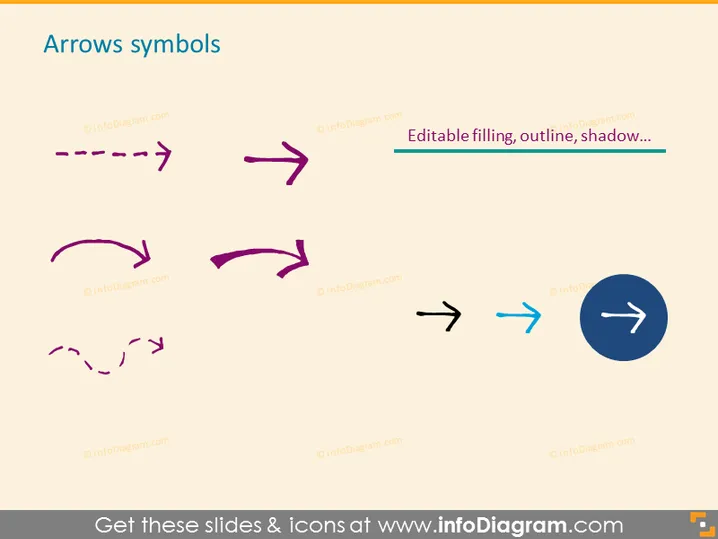
The PowerPoint slide titled "Arrows symbols" presents a collection of arrow graphics, which are commonly used in presentations to signify direction, flow, or progress. These arrows come in different styles: dashed, solid, curved, and overlapping double arrows, indicating various types of movement or transitions. The text mentions they are editable, implying that the color, outline, and shadow of these arrows can be customized to fit the aesthetic of any presentation. Each arrow's design conveys unique meanings, such as the dashed arrow for a discontinuous process or the solid arrow for a clear direction.
Graphical Look
- The slide has a white background which makes the colored arrows stand out.
- It features nine arrow symbols, each with a unique design and alignment on the slide, distributed across three rows.
- The arrows are in various colors, including purple, black, and blue, with one arrow encircled in a dark circle.
- The designs include a combination of dashed lines, solid lines, curved shapes, and one set of arrows overlapping each other.
- Text describing the arrows' characteristics is aligned to the right side of the slide, suggesting that these elements are customizable.
- The slide employs a minimal layout, free of any additional graphics or text, focusing attention on the arrow symbols.
The overall look of the slide is clean and modern, using contrast and minimalistic design to highlight the different arrow styles. The variety and customization options for the arrow graphics are clearly presented in a well-organized manner.
Use Cases
- Illustrating process flows and sequences in business plans or project management presentations.
- Highlighting directional movements or trends in marketing and sales data reports.
- Demonstrating the connection between different ideas or steps in an educational or training presentation.
- Enhancing visual storytelling in corporate strategy or decision-making slides where directionality is key.
How to Edit
How to edit text & colors

How to expand / shorten diagram

How to Replace Icons in infoDiagram PPT


