
Your graphics add a nice touch to my presentations and I recently used them for one of my all-hands meetings. Your toolbox adds professionalism to my slides. Instead of using standard clipart.
Claude Jones, Director of Engineer, @Walmartlabs, USA
Your graphics add a nice touch to my presentations and I recently used them for one of my all-hands meetings. Your toolbox adds professionalism to my slides. Instead of using standard clipart.
Claude Jones, Director of Engineer, @Walmartlabs, USA
I needed a fresh look at some of my slides. I've tried to find a way to create a paintbrush effect, to underline, accentuate, add some color and the handwritten markers were just the things. Very easy to use, easy to size, change the color. It was an affordable, perfect solution and I'm happy to recommend it.
Anonymous, US
The crisp, clean look of the graphics, and the fact that it allowed me to easily edit and change the colors to match the template was my main reason for purchasing them.
Brandie Jenkins, E-learning Developer, USA
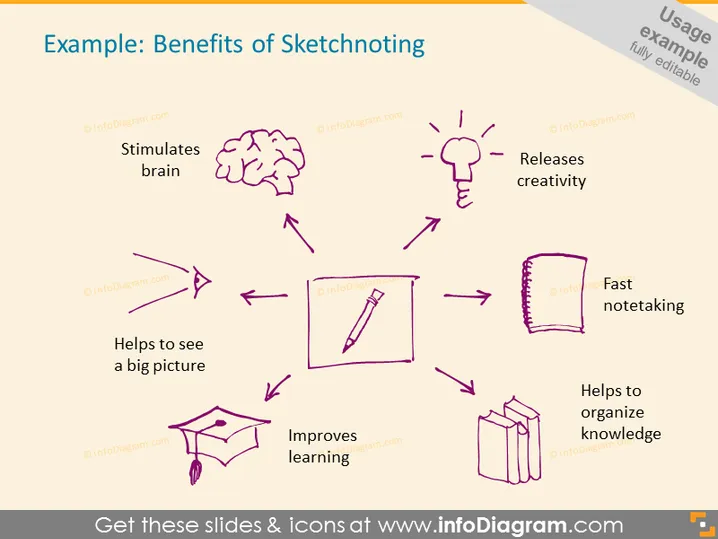
The PowerPoint slide presents several benefits of sketchnoting, creatively illustrated by icons and connected with arrows. "Stimulates brain" suggests that sketchnoting can engage cognitive functions. "Releases creativity" implies that this method can unlock creative potential. "Fast note-taking" refers to the quick capturing of information. "Helps to organize knowledge" might be about structuring information for better recall. "Improves learning" indicates an enhancement in understanding and retaining concepts. "Helps to see a big picture" points to an overview understanding that sketchnoting can provide. Each benefit is visually associated with an icon that embodies the concept.
The slide's visual composition uses a central circular motion to guide the viewer's eye through the benefits of sketchnoting. The hand-drawn style of the icons and text provides a cohesive and thematic aesthetic, which underscores the creative and informal nature of sketchnoting.




