
Reviews
Sus gráficos añaden un toque agradable a mis presentaciones y recientemente los usé para una de mis reuniones generales. Su conjunto de herramientas añade profesionalismo a mis diapositivas. En lugar de usar imágenes prediseñadas estándar.
Necesitaba un aspecto fresco para algunas de mis diapositivas. Había intentado encontrar una forma de crear un efecto de pincel, de subrayar, acentuar, añadir algo de color y los marcadores escritos a mano fueron justo lo que necesitaba. Muy fácil de usar, fácil de ajustar el tamaño, cambiar el color. Fue una solución asequible y perfecta, y estoy feliz de recomendarla.
El aspecto nítido y limpio de los gráficos, y el hecho de que me permitiera editar y cambiar fácilmente los colores para que coincidieran con la plantilla fue mi principal razón para comprarlos.
Description
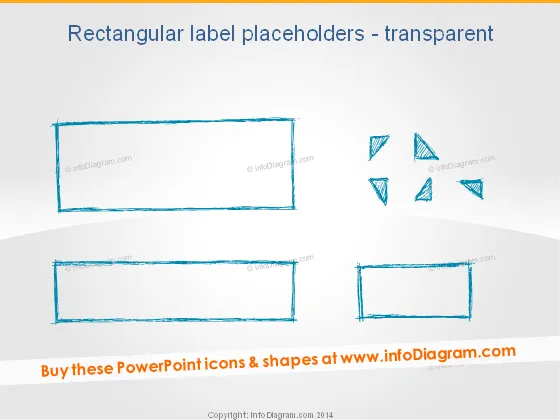
Rectangular label placeholders - transparent
Slide Content
The PowerPoint slide is titled "Rectangular label placeholders - transparent". It features graphical elements that serve as placeholders for text or other content. These elements are designed to look like transparent, roughly sketched rectangles, suggesting a place to insert information without a solid background. Their sketch-like appearance gives a creative and informal impression, which can be used to bring a sense of informality or brainstorming to a presentation.
Graphical Look
- The slide has a plain white background.
- There are two large rectangular shapes and one smaller rectangle with a sketch-like, hand-drawn appearance.
- These rectangles are illustrated with a rough, dashed outline, and they have a transparent fill.
- On the right side of the slide, there are small triangular shapes arranged in a circular pattern.
- The rectangles and triangles have a turquoise, watercolor-like texture.
- The larger rectangles are placed at the top and bottom, while the smaller one is on the bottom right.
The slide has a minimalist and artistic feel, using transparent, sketched shapes to create a creative and informal aesthetic.
Use Cases
- Displaying key points or topics during a brainstorming session to keep ideas organized and visible.
- Highlighting quotes or testimonials in a presentation without the distraction of a solid background.
- Creating an agenda or outline where each rectangular placeholder represents a different section or topic.
- Using as a template for an informal or creative presentation to add a touch of personality and uniqueness.
How to Edit
How to edit text & colors

How to expand / shorten diagram

How to Replace Icons in infoDiagram PPT


