
Reviews
Your graphics add a nice touch to my presentations and I recently used them for one of my all-hands meetings. Your toolbox adds professionalism to my slides. Instead of using standard clipart.
I needed a fresh look at some of my slides. I've tried to find a way to create a paintbrush effect, to underline, accentuate, add some color and the handwritten markers were just the things. Very easy to use, easy to size, change the color. It was an affordable, perfect solution and I'm happy to recommend it.
The crisp, clean look of the graphics, and the fact that it allowed me to easily edit and change the colors to match the template was my main reason for purchasing them.
Description
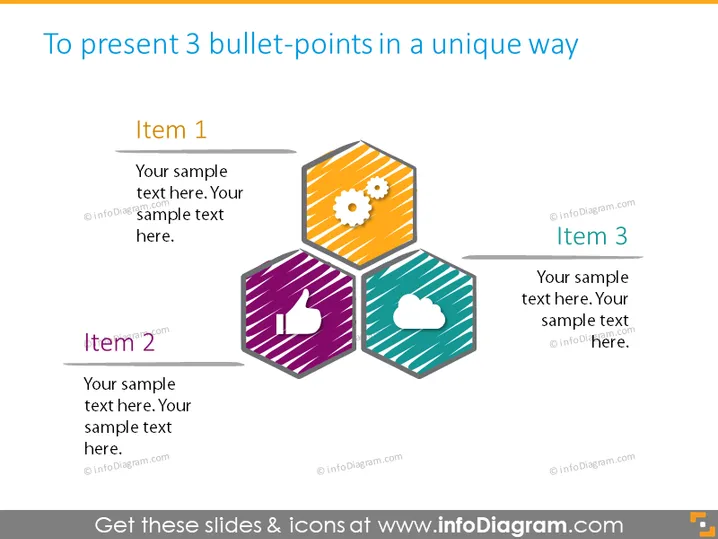
To present 3 bullet-points in a unique way
Slide Content
The slide is designed to showcase three key points or items in a visually engaging format. "Item 1" might represent a foundational concept with text that expands on its significance. "Item 2" presumably points out another critical element, with its text further explaining its role within the context. "Item 3" likely presents a final point, with corresponding text to elucidate its relevance or function. This format encourages the audience to see the relationship and distinction between each point.
Graphical Look
- Three hexagonal shapes are positioned closely together in the center, creating a honeycomb-like formation.
- Each hexagon has a different fill color – one orange, one purple, and one teal.
- The hexagons are stylized with a flat design and slight shading for depth, each containing a white icon – a gear, a thumbs-up, and a cloud.
- There is a horizontal line connecting each hexagon to its corresponding label and description to the left or right.
- The labels "Item 1", "Item 2", and "Item 3" are presented in bold, dark font, serving as headers for their respective descriptions.
- Text placeholders adjacent to each item contain a few lines of explanatory text in a lighter font.
- The background of the slide is white, which makes the colored hexagons stand out prominently.
The overall look of the slide is modern and clean, with a strong use of geometric shapes and minimalistic icons to represent abstract concepts or discussion points.
Use Cases
- To summarize the main features of a new product in a sales presentation.
- To highlight the top three benefits of a service offering during a marketing pitch.
- For project update meetings, to visually communicate three critical updates or milestones.
- In educational settings, to convey three key learning points in a more engaging visual format than traditional bullet lists.
How to Edit
How to edit text & colors

How to expand / shorten diagram

How to Replace Icons in infoDiagram PPT


