
Reviews
Ihre Grafiken verleihen meinen Präsentationen eine nette Note, und ich habe sie kürzlich für eines meiner All-Hands-Meetings verwendet. Ihre Toolbox verleiht meinen Folien Professionalität, anstatt Standard-Clipart zu verwenden.
Ich brauchte einen neuen Blick auf einige meiner Folien. Ich habe versucht, einen Weg zu finden, einen Pinselschlag-Effekt zu erzielen, um zu unterstreichen, hervorzuheben, Farbe hinzuzufügen, und die handgeschriebenen Markierungen waren genau das Richtige. Sehr einfach zu bedienen, leicht in der Größe zu ändern, die Farbe zu ändern. Es war eine erschwingliche, perfekte Lösung und ich empfehle sie gerne weiter.
Die klare, saubere Optik der Grafiken und die Tatsache, dass ich die Farben leicht bearbeiten und an die Vorlage anpassen konnte, war mein Hauptgrund für den Kauf.
Description
Outline Icons Set (extendable)
Slide Content
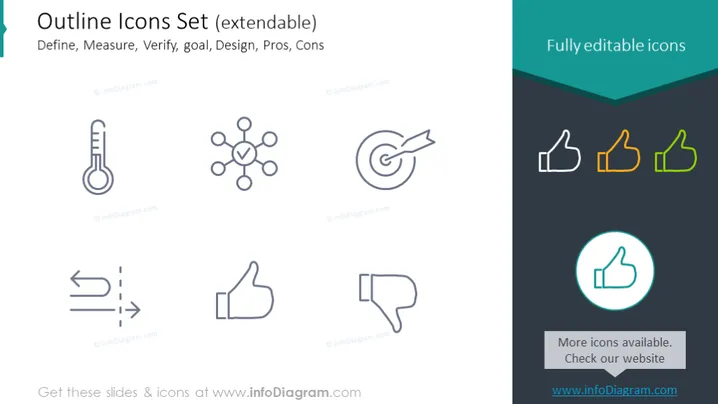
The slide showcases a set of outline icons intended to visually represent a variety of concepts such as Define, Measure, Verify, goal, Design, Pros, and Cons. Each concept has a corresponding icon: a thermometer for Define, signifying measurement or assessment; a network symbol for Measure, representing connections or relationships; a target for Verify, implying accuracy or goals; two arrows with a dashed line for goal, suggesting direction or progress; a thumbs up for Design, denoting approval or a positive feature; and thumbs up and down for Pros and Cons, illustrating advantages and disadvantages respectively.
Graphical Look
- The slide has a clean and minimalist design with a predominant white background.
- A title is displayed in bold turquoise text at the top left of the slide, with a descriptive subtitle beneath in smaller font size.
- Icons are arranged in two rows, with three icons on the top row and four on the bottom.
- Icons are simple, outlined graphical representations, using shades of gray except for the last icon colored in turquoise with a circle around it.
- The right side of the slide features a dark turquoise banner with the text "Fully editable icons" in white, indicating the icons' customization ability.
- Each icon is accompanied by a small text label underneath, in a light gray color, providing a brief description.
- A small turquoise box in the bottom right corner contains text inviting the viewer to check more icons on the website, suggesting additional resources.
The slide has a professional and elegant visual design, clearly categorizing each icon with a harmonious color scheme and simple illustrations to convey ideas concisely.
Use Cases
- Presenting different stages or elements of a project or process in a business presentation.
- Augmenting reports or proposals with visual aids to symbolize various concepts succinctly.
- Enhancing educational materials or training guides with easily understandable visual icons.
- Incorporating into infographics for marketing materials to visually communicate messages to potential clients or stakeholders.
How to Edit
How to edit text & colors

How to expand / shorten diagram

How to Replace Icons in infoDiagram PPT


