
Reviews
Sus gráficos añaden un toque agradable a mis presentaciones y recientemente los usé para una de mis reuniones generales. Su conjunto de herramientas añade profesionalismo a mis diapositivas. En lugar de usar imágenes prediseñadas estándar.
Necesitaba un aspecto fresco para algunas de mis diapositivas. Había intentado encontrar una forma de crear un efecto de pincel, de subrayar, acentuar, añadir algo de color y los marcadores escritos a mano fueron justo lo que necesitaba. Muy fácil de usar, fácil de ajustar el tamaño, cambiar el color. Fue una solución asequible y perfecta, y estoy feliz de recomendarla.
El aspecto nítido y limpio de los gráficos, y el hecho de que me permitiera editar y cambiar fácilmente los colores para que coincidieran con la plantilla fue mi principal razón para comprarlos.
Description
Simple Mind Map with 6 Branches and Brain Illustration
Slide Content
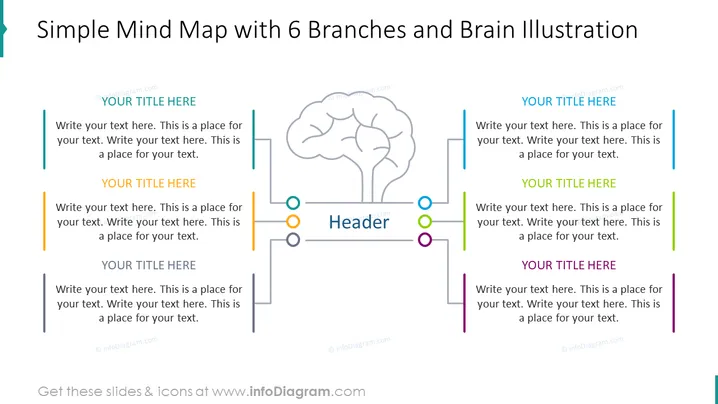
This PowerPoint slide is titled "Simple Mind Map with 6 Branches and Brain Illustration" and seems to be designed for brainstorming or outlining ideas. It features a central header space surrounded by six areas for text, each corresponding to a branch of the mind map. These branches represent individual topics or ideas that stem from the central theme indicated by the header. The branches are color-coded and have placeholder text, indicating where presenters can customize the slide with their specific content.
Graphical Look
- A large, central grey outlined brain illustration serves as the focal point.
- Connected to the brain are six lines, each representing a branch of the mind map and ending with a circle colored differently (teal, yellow, green, blue, orange, and purple).
- Each line has a corresponding text box for adding content, with instructions like "Write your text here."
- Every text box is preceded by a vertical bar in the same color as the end circle of its respective branch line.
- The header box is located at the center bottom, with a larger circle surrounding the word "Header" and smaller circles in the six aforementioned colors surrounding it.
- The slide background is white, providing a clean and neutral backdrop for the content.
The slide has a modern, clean look with a balance of colors and text, which makes it visually engaging and easy to follow. The distinct color coordination creates a clear and organized visual pathway for each branch of the mind map.
Use Cases
- Explaining complex topics by breaking them down into subtopics during educational presentations.
- Organizing and presenting a central idea with its related aspects in business strategy meetings.
- Facilitating brainstorming sessions by visually mapping out ideas and their connections.
- Structuring content for workshops or seminars to guide discussions and note-taking.
How to Edit
How to edit text & colors

How to expand / shorten diagram

How to Replace Icons in infoDiagram PPT


