
Reviews
Your graphics add a nice touch to my presentations and I recently used them for one of my all-hands meetings. Your toolbox adds professionalism to my slides. Instead of using standard clipart.
I needed a fresh look at some of my slides. I've tried to find a way to create a paintbrush effect, to underline, accentuate, add some color and the handwritten markers were just the things. Very easy to use, easy to size, change the color. It was an affordable, perfect solution and I'm happy to recommend it.
The crisp, clean look of the graphics, and the fact that it allowed me to easily edit and change the colors to match the template was my main reason for purchasing them.
Description
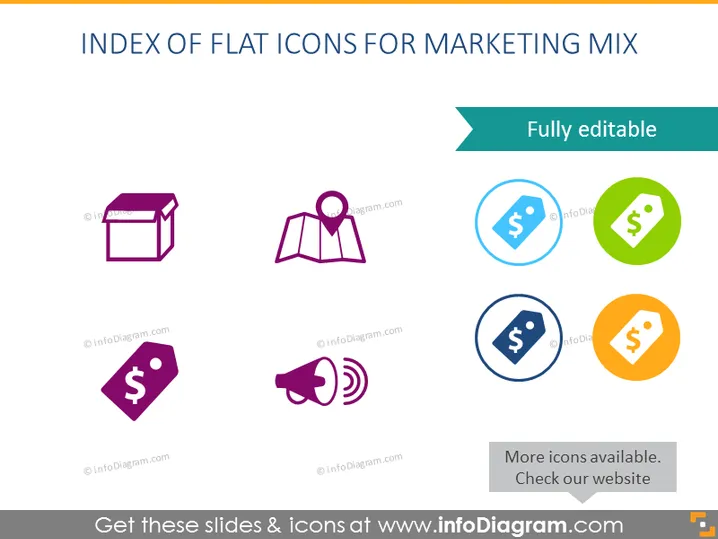
INDEX OF FLAT ICONS FOR MARKETING MIX
Slide Content
The PowerPoint slide presents an "INDEX OF FLAT ICONS FOR MARKETING MIX" consisting of eight different colored icons that represent various aspects of marketing. The icons include a box, map marker, tag, and megaphone, all commonly associated with product, place, price, and promotion. Each icon symbolizes a key component related to marketing strategies: product design and packaging (box), distribution channels or location (map marker), pricing strategies (tag), and advertising or communication methods (megaphone).
Graphical Look
- The slide has a teal header with white text for the title.
- Below the header is a subtitle in black text indicating that the content is "Fully editable."
- There are two rows and four columns of icons.
- Each icon is encased in a colored circle with a flat design style—purple for the box and megaphone, blue for one tag, green for another tag, and orange for the last tag.
- The map marker is not encased and is colored in purple, standing alone without a circle background.
- The icon circles are evenly spaced and aligned in a grid layout.
- Below the icons, there is a black text statement: "More icons available. Check our website."
The overall look of the slide is clean and modern, with a flat design aesthetic that is easy on the eyes. The use of different colors for the icon backgrounds makes the slide visually engaging and helps distinguish between the represented concepts.
Use Cases
- To introduce or summarize the components of the marketing mix in a business presentation.
- For educational purposes, such as teaching marketing concepts to students or trainees.
- As a visual aid in marketing strategy meetings to discuss each element of the marketing mix.
- In pitch decks to potential investors, to visually communicate marketing plan elements.
How to Edit
How to edit text & colors

How to expand / shorten diagram

How to Replace Icons in infoDiagram PPT


