
Reviews
Your graphics add a nice touch to my presentations and I recently used them for one of my all-hands meetings. Your toolbox adds professionalism to my slides. Instead of using standard clipart.
I needed a fresh look at some of my slides. I've tried to find a way to create a paintbrush effect, to underline, accentuate, add some color and the handwritten markers were just the things. Very easy to use, easy to size, change the color. It was an affordable, perfect solution and I'm happy to recommend it.
The crisp, clean look of the graphics, and the fact that it allowed me to easily edit and change the colors to match the template was my main reason for purchasing them.
Description
Simple Circle Pie Chart
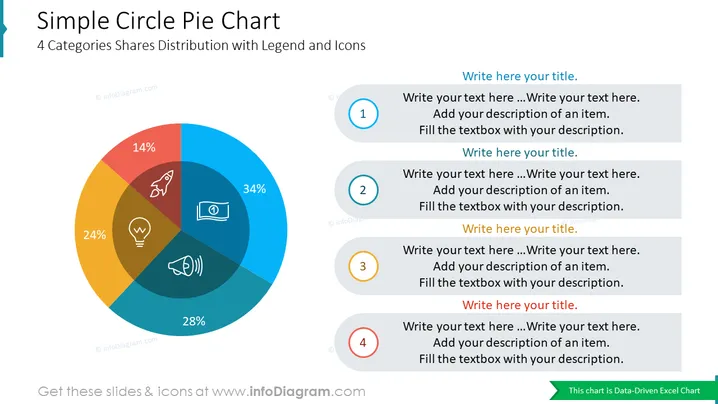
This PowerPoint slide template is designed to showcase a four-category share distribution with a legend and icons. It is a versatile tool that can be used in a variety of business presentations to effectively convey data and insights. The clear and concise visuals make it easy for the audience to grasp the key takeaways, while the customizable elements allow for a personalized touch.
What Does This Simple Circle Pie Chart Include?
- A large, central pie chart divided into four distinct segments, each representing a different category
- A vibrant color scheme that differentiates the segments and enhances visual appeal
- A legend positioned adjacent to the pie chart, clearly labeling each segment with its corresponding category and percentage share
- Four rounded rectangular boxes placed around the pie chart, each containing a placeholder for a descriptive title and a text box for further elaboration
- Outline icons of a rocket, innovation, money, income, profit, megaphone, marketing, light bulb, idea
This Simple Circle Pie Chart is a part of our Creative Percentage Shares Data-driven Pie Charts PPT Template.
How to Edit
How to edit text & colors

How to expand / shorten diagram

How to Replace Icons in infoDiagram PPT


