
Reviews
Sus gráficos añaden un toque agradable a mis presentaciones y recientemente los usé para una de mis reuniones generales. Su conjunto de herramientas añade profesionalismo a mis diapositivas. En lugar de usar imágenes prediseñadas estándar.
Necesitaba un aspecto fresco para algunas de mis diapositivas. Había intentado encontrar una forma de crear un efecto de pincel, de subrayar, acentuar, añadir algo de color y los marcadores escritos a mano fueron justo lo que necesitaba. Muy fácil de usar, fácil de ajustar el tamaño, cambiar el color. Fue una solución asequible y perfecta, y estoy feliz de recomendarla.
El aspecto nítido y limpio de los gráficos, y el hecho de que me permitiera editar y cambiar fácilmente los colores para que coincidieran con la plantilla fue mi principal razón para comprarlos.
Description
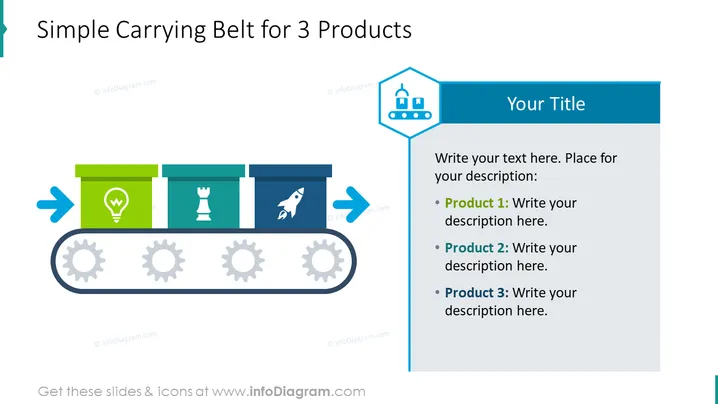
Simple Carrying Belt for 3 Products
Slide Content
The slide is clearly outlining a process flow for three distinct products, depicted as stages on a conveyor belt. The icons suggest a lightbulb, a chess piece, and a rocket, which could represent idea generation, strategy, and launch phases, respectively. Space is provided to write descriptions for each product, indicating that this slide is meant to be customized with specific information about the products or phases in a process.
Graphical Look
- The slide background is white, giving a clean and professional look.
- A large, dark blue rectangular shape on the right that contains the heading "Your Title" in bold white font.
- A text box below the title shape with bullet points for Product 1, Product 2, and Product 3, each followed by placeholder text "Write your description here."
- The main graphic on the left side of the slide is a conveyor belt illustration, symbolizing a production or process flow.
- The conveyor belt has three rectangular segments, each with a different color (green, teal, and navy) and an icon inside (lightbulb, chess piece, rocket).
- Three gray gears are placed beneath the conveyor belt to give the effect of movement and progression.
- Two blue directional arrows flank the conveyor belt, indicating the direction of the product movement.
The visual composition of the slide is balanced, with the text area on the right and the graphical conveyor belt on the left. The color scheme is coordinated, with blues and greens providing a professional yet dynamic appearance.
Use Cases
- Presenting a new product development process in a business meeting.
- Outlining a marketing plan with key phases for different product launches.
- Using in a training session to illustrate the journey of a product from conception to market.
- Sharing a project timeline with stakeholders during a project update presentation.
How to Edit
How to edit text & colors

How to expand / shorten diagram

How to Replace Icons in infoDiagram PPT


