
Reviews
Ihre Grafiken verleihen meinen Präsentationen eine nette Note, und ich habe sie kürzlich für eines meiner All-Hands-Meetings verwendet. Ihre Toolbox verleiht meinen Folien Professionalität, anstatt Standard-Clipart zu verwenden.
Ich brauchte einen neuen Blick auf einige meiner Folien. Ich habe versucht, einen Weg zu finden, einen Pinselschlag-Effekt zu erzielen, um zu unterstreichen, hervorzuheben, Farbe hinzuzufügen, und die handgeschriebenen Markierungen waren genau das Richtige. Sehr einfach zu bedienen, leicht in der Größe zu ändern, die Farbe zu ändern. Es war eine erschwingliche, perfekte Lösung und ich empfehle sie gerne weiter.
Die klare, saubere Optik der Grafiken und die Tatsache, dass ich die Farben leicht bearbeiten und an die Vorlage anpassen konnte, war mein Hauptgrund für den Kauf.
Description
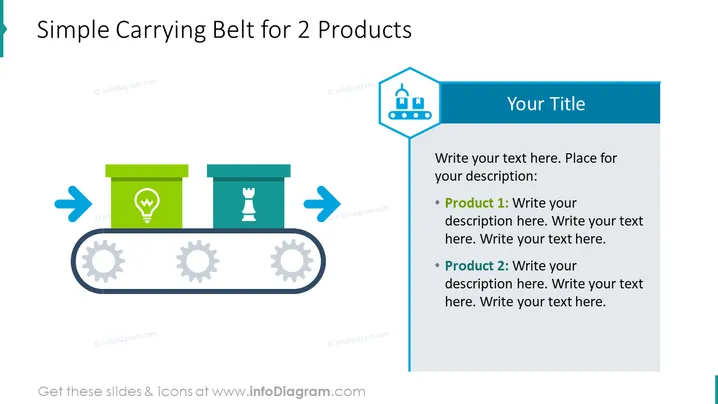
Simple Carrying Belt for 2 Products
Slide Content
The slide presents a concept or process titled "Simple Carrying Belt for 2 Products," which likely describes a simplified model of a production line or delivery system for two distinct items. The left side of the slide might represent the starting point, indicated by an arrow pointing rightwards, leading to the first product symbolized by a light bulb icon within a box, followed by a chess piece icon in another box, and concluding with an arrow pointing towards the right, suggesting forward movement or progression.
- The light bulb icon likely represents an idea or a product that is innovative or energy-related.
- The chess piece icon might symbolize strategic planning or a product relating to games, intelligence, or decision-making processes.
Graphical Look
- A title in bold, dark blue text at the top left of the slide, set against a white background.
- Two large icons of a light bulb and a chess piece, each inside a colored box (green and blue, respectively).
- A large horizontal conveyor belt graphic in grey, underpinning both product icons.
- Three grey gear icons within the horizontal belt, suggesting movement or mechanical process.
- Two blue arrows, one pointing towards the first box and one pointing away from the second box, implying a flow or direction.
- A vertical blue banner on the right side with a darker blue heading saying "Your Title."
- Bullet points in the blue banner with placeholders for text, marked as "Product 1" and "Product 2."
The slide has a clean and professional look with a balance of graphics and text in a visually appealing layout. The use of icons and color coding, along with directional arrows, provides an intuitive understanding of the process or comparison being presented.
Use Cases
- To explain the stages of a manufacturing or delivery process in business presentations.
- To visualize the development journey of two separate products from concept to market.
- As a teaching aid to illustrate the flow of product or idea progression in educational settings.
- To compare two products or ideas in terms of their placement or role within a business process or workflow.
How to Edit
How to edit text & colors

How to expand / shorten diagram

How to Replace Icons in infoDiagram PPT


