
Reviews
Sus gráficos añaden un toque agradable a mis presentaciones y recientemente los usé para una de mis reuniones generales. Su conjunto de herramientas añade profesionalismo a mis diapositivas. En lugar de usar imágenes prediseñadas estándar.
Necesitaba un aspecto fresco para algunas de mis diapositivas. Había intentado encontrar una forma de crear un efecto de pincel, de subrayar, acentuar, añadir algo de color y los marcadores escritos a mano fueron justo lo que necesitaba. Muy fácil de usar, fácil de ajustar el tamaño, cambiar el color. Fue una solución asequible y perfecta, y estoy feliz de recomendarla.
El aspecto nítido y limpio de los gráficos, y el hecho de que me permitiera editar y cambiar fácilmente los colores para que coincidieran con la plantilla fue mi principal razón para comprarlos.
Description
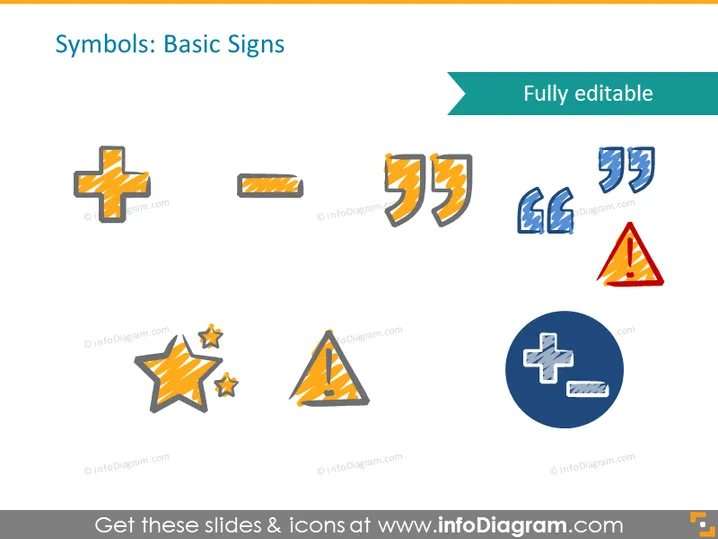
Symbols: Basic Signs
Slide Content
The slide displays various basic symbols and signs indicating its focus on fundamental visual elements used for communication. Each icon is a stylized representation of the real-world sign: a plus symbol often represents medical services or assistance; a quotation mark can signify speech or a phrase from text; arrows suggest direction or movement; a warning triangle denotes caution; and stars are typically used to symbolize quality, celebration, or excellence.
Graphical Look
- The slide background is white, providing a clean backdrop for the icons.
- At the top, there's a header with a teal rectangular banner featuring the slide title in white font.
- An assortment of icons is evenly distributed across the slide including plus symbols, quotation marks, arrows, a warning triangle, and stars.
- Icons have a textured look, with what appears to be brush or pencil strokes in yellow and blue colors, overlaying the solid base shapes.
- The plus symbol also appears in a dark blue circle, creating a "button" effect.
- There's a notable consistency in design with each icon having a white outline and drop shadow, lending them a slight 3D effect.
The overall design is modern and the icons have a creative, hand-drawn aesthetic. The use of shadows and the white outlines make the icons stand out against the white background.
Use Cases
- Introducing basic visual language and iconography in a design workshop.
- Explaining universal symbols used in interface design during a UI/UX seminar.
- Incorporating as part of a branding guideline presentation to illustrate brand assets.
- Using in safety training materials to highlight commonly used warning signs.
How to Edit
How to edit text & colors

How to expand / shorten diagram

How to Replace Icons in infoDiagram PPT


