
Reviews
Your graphics add a nice touch to my presentations and I recently used them for one of my all-hands meetings. Your toolbox adds professionalism to my slides. Instead of using standard clipart.
I needed a fresh look at some of my slides. I've tried to find a way to create a paintbrush effect, to underline, accentuate, add some color and the handwritten markers were just the things. Very easy to use, easy to size, change the color. It was an affordable, perfect solution and I'm happy to recommend it.
The crisp, clean look of the graphics, and the fact that it allowed me to easily edit and change the colors to match the template was my main reason for purchasing them.
Description
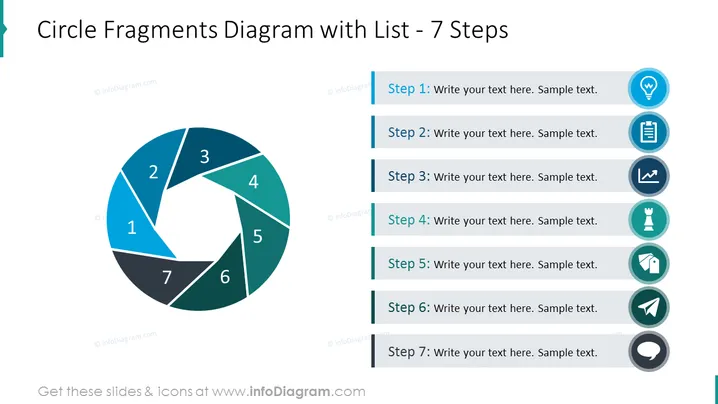
Circle Fragments Diagram with List - 7 Steps
Slide Content
The slide titled "Circle Fragments Diagram with List - 7 Steps" highlights a step-by-step process or sequence of events. It depicts a circular diagram divided into seven segments, each numbered from 1 to 7, which could symbolize different phases or actions within a cycle. Adjacent to this diagram is a vertical list with steps corresponding to each fragment of the circle, providing a space for descriptive text to elaborate on each step, which enhances comprehension of the cycle's components.
Graphical Look
- The slide has a clean, modern design with a white background.
- On the left is a segmented circular diagram with seven parts; each part is colored differently in shades of blue and teal, with numbers from 1 to 7 in white font indicating each step.
- A light shadow is cast underneath the segmented circle adding depth to the diagram.
- To the right of the circular diagram, there is a vertically arranged list of steps, with each step title displayed in bold and the corresponding explanation in lighter text.
- Each step in the list is associated with a unique icon, which visually represents the topic of the step.
- Icons include a light bulb, a document, a bar graph, a chess piece, pen tips, a plane, and magnifying glass signals, all in blue with dark grey outlines within a circular badge with a long shadow effect.
- The steps and icons are connected by a thin, light blue vertical line that emphasizes the connection between the diagram and accompanying text.
The slide exhibits a professional and polished aesthetic with a harmonious color scheme of blues and teals that promote visual harmony and focus. The diagram and list are evenly balanced, making it aesthetically pleasing and easy to follow.
Use Cases
- To depict a project's life cycle or phases in a business strategy or project management presentation.
- Explaining a multi-step process or workflow in a marketing or sales pitch to outline customer journey stages or product development steps.
- To showcase sequential steps in a training or educational presentation, highlighting key concepts or action items.
- For summarizing main points in a report or proposal, utilizing the circular diagram for visual reinforcement of the interconnectedness of each step.
How to Edit
How to edit text & colors

How to expand / shorten diagram

How to Replace Icons in infoDiagram PPT


