
Reviews
Sus gráficos añaden un toque agradable a mis presentaciones y recientemente los usé para una de mis reuniones generales. Su conjunto de herramientas añade profesionalismo a mis diapositivas. En lugar de usar imágenes prediseñadas estándar.
Necesitaba un aspecto fresco para algunas de mis diapositivas. Había intentado encontrar una forma de crear un efecto de pincel, de subrayar, acentuar, añadir algo de color y los marcadores escritos a mano fueron justo lo que necesitaba. Muy fácil de usar, fácil de ajustar el tamaño, cambiar el color. Fue una solución asequible y perfecta, y estoy feliz de recomendarla.
El aspecto nítido y limpio de los gráficos, y el hecho de que me permitiera editar y cambiar fácilmente los colores para que coincidieran con la plantilla fue mi principal razón para comprarlos.
Description
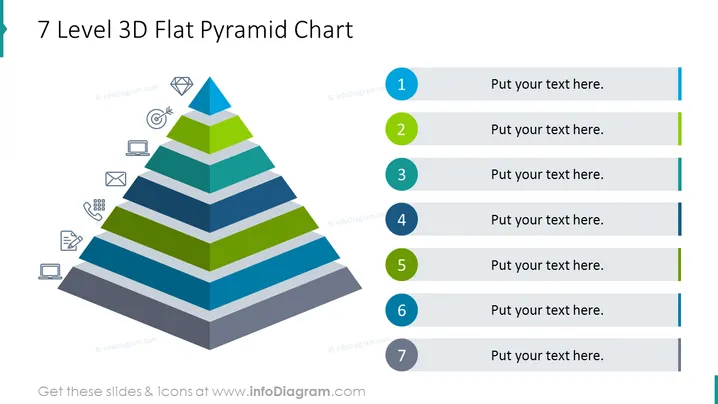
7 Level 3D Flat Pyramid Chart
Slide Content
The slide presents a 7 Level 3D Flat Pyramid Chart, commonly used to depict hierarchies or proportional relationships within a structure. Each level is associated with a different color and size, shrinking proportionally from the broad base to the apex. There are placeholders next to each level with corresponding numbers where explanatory text can be inserted. This design visually supports the conceptual understanding of rank, significance, or flow of information, processes, or ideas within an organization or system.
Graphical Look
- The slide features a central 3D pyramid chart with seven distinct levels.
- Each level of the pyramid is a different shade, alternating between shades of blue and green.
- A series of icons representing various business concepts (like a target, diamond, laptop, calculator, envelope, and document) are subtly placed in the lower left corner of the slide.
- To the right of the pyramid, there are numbered circles (1 to 7) corresponding to each level of the pyramid, followed by grey text placeholders for inserting explanations.
- The circles and text placeholders have colored lines connecting them to their respective levels in the pyramid.
The overall look of the slide is clean and professional with a clear visual hierarchy emphasized by the pyramid design and sequential numbering. The design employs a flat graphical style, making it modern and easy to interpret.
Use Cases
- To display a hierarchical structure within a corporate or organizational context, demonstrating levels of management, responsibility, or priority.
- In strategic business presentations for illustrating stages of product development, market penetration, or customer engagement.
- For educational purposes, to show progressive levels of learning, skill acquisition, or certification.
- As a visual aid in marketing proposals, to emphasize the segmentation of target markets or the importance of different marketing channels and strategies.
How to Edit
How to edit text & colors

How to expand / shorten diagram

How to Replace Icons in infoDiagram PPT


