
Reviews
Your slides are my 'secret sauce' when it comes to visualising my ideas to clients. I'm saving so much time.
InfoDiagram has been a wonderful resource since I found the product site a few years ago.
Your slides often generate good comments and ideas from my team that improve the final slides.
Description
September, October (US)
Slide Content
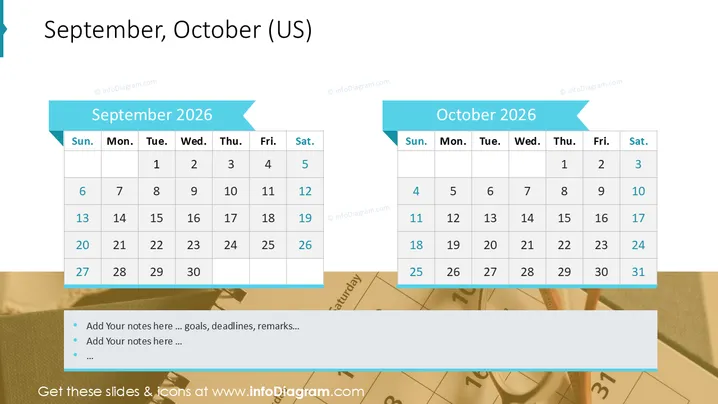
The PowerPoint slide presents two monthly calendars for September and October 2026 . Each calendar displays a typical US week starting with Sunday and ending with Saturday. Dates are laid out in rows and columns, with weeks starting on the far left. The September calendar shows 30 days, ending on Tuesday, while the October calendar includes 31 days, ending on Thursday. Each month is highlighted with a ribbon banner accent at the top, indicating the month's name, and both banners are oriented toward the left.
Graphical Look
- The background of the slide is plain white.
- At the top is a large, bold, centered header that reads "September, October (US)" set against the white background.
- There are two main graphical objects, each depicting a calendar for a different month, placed side by side.
- Both calendars have a light blue ribbon banner at the top with the name of the month ("September 2025" and "October 2025") in white, sans-serif text on them. The banners have a pointed, arrow-like cut on the right side.
- Each calendar consists of a simple grid with rows and columns for days and weeks.
- The days of the week are labeled at the top of each calendar ("Sun.," "Mon.," "Tue.," "Wed.," "Thu.," "Fri.," "Sat.") in a bold, sans-serif font.
- Dates are laid out in black text, arranged from top to bottom and left to right.
- The October calendar notably contains an error with "114" instead of "14" for the second Tuesday.
The slide has a clean and professional look with a color scheme that is consistent and business-like. The calendars are well-organized and easily comprehensible, despite the noted error on the October calendar.
Use Cases
- Planning and outlining key dates for projects or campaigns during meetings.
- Highlighting important business deadlines or events in corporate presentations.
- Assigning tasks or responsibilities in relation to a visual calendar during team coordination sessions.
- Serving as part of a monthly outlook or overview in company newsletters or reports.
How to Edit
How to edit text & colors

How to expand / shorten diagram

How to Replace Icons in infoDiagram PPT


