
Reviews
Your graphics add a nice touch to my presentations and I recently used them for one of my all-hands meetings. Your toolbox adds professionalism to my slides. Instead of using standard clipart.
I needed a fresh look at some of my slides. I've tried to find a way to create a paintbrush effect, to underline, accentuate, add some color and the handwritten markers were just the things. Very easy to use, easy to size, change the color. It was an affordable, perfect solution and I'm happy to recommend it.
The crisp, clean look of the graphics, and the fact that it allowed me to easily edit and change the colors to match the template was my main reason for purchasing them.
Description
September, October (EU)
Slide Content
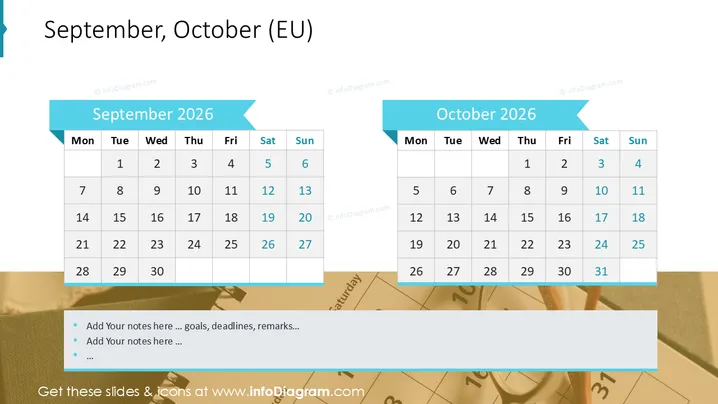
The slide presents two simple calendar layouts for the months of September and October 2026 , specifically formatted for a European audience with the week starting on Monday. Each month is shown in a separate grid with numbered days and columns labeled with the days of the week. This practical design allows for easy planning and date referencing, suitable for scheduling events, highlighting important dates, or setting deadlines in a visual format.
Graphical Look
- The slide has two prominent calendar blocks, one for September and the other for October, aligned side by side horizontally.
- Each calendar block has a light blue banner with the month and year (September 2026 , October 2026 ) in bold white font.
- The days of the week are displayed in a darker gray header row within each calendar block.
- The dates are arranged in a standard grid layout, starting with Monday and ending with Sunday, following European convention.
- Saturdays and Sundays are distinguished with a subtle shade of light blue in the background.
- Each calendar block has a ribbon-like visual element on the top right corner, folding back over the adjacent edge, giving a three-dimensional appearance to the banners.
- The slide background is plain white, ensuring that the focus remains on the calendars.
The overall look of the slide is clean and professional, with a simple and straightforward design that emphasizes functionality. The light blue color scheme provides a calm and neutral aesthetic, suitable for various presentation contexts.
Use Cases
- Planning and illustrating project timelines in a corporate presentation to show the start and end dates of different phases.
- Outlining availability or vacation schedules during a team meeting to coordinate staff absences and ensure coverage.
- Highlighting key dates for a marketing campaign launch or important milestones in an investor update meeting.
- Serving as an agenda template in an educational or training setting to mark important lecture dates or examination periods.
How to Edit
How to edit text & colors

How to expand / shorten diagram

How to Replace Icons in infoDiagram PPT


