
Reviews
Deine Folien sind meine 'geheime Zutat', wenn es darum geht, meine Ideen Kunden zu visualisieren. Ich spare so viel Zeit.
Ihre Folien führen oft zu guten Kommentaren und Ideen meines Teams, die die endgültigen Folien verbessern.
Description
Semi-Transparent Funnel – 5 Objects
Slide Content
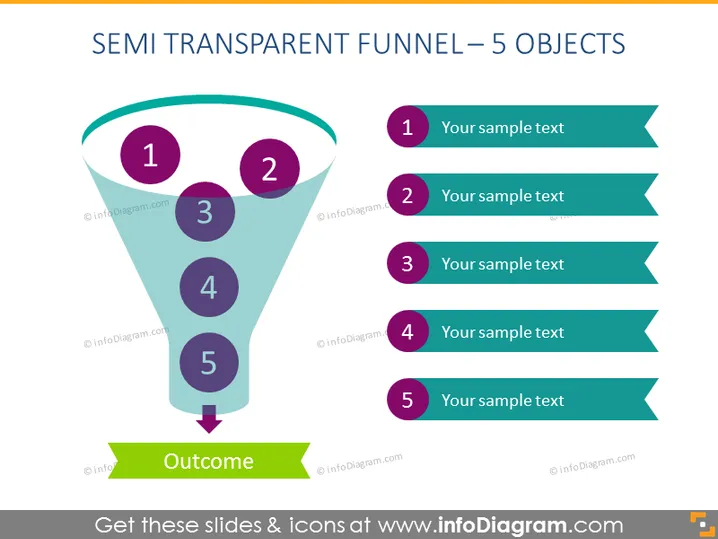
The slide depicts a funnel with a semi-transparent design, featuring five sections labeled one through five, each accompanied by placeholder text "Your sample text" to be replaced with relevant information. The funnel illustrates a process flow or a filtering concept where multiple inputs or stages lead to a single outcome, denoted by an arrow at the bottom pointing towards a banner labeled "Outcome."
Graphical Look
- The slide background is plain white, providing a clean and uncluttered canvas.
- A large semi-transparent funnel graphic dominates the central portion of the slide, with a light blue gradient.
- Inside the funnel, there are five circular shapes, each filled with a solid dark purple color and containing white numbers from 1 to 5, indicating the sequence of the objects within the funnel.
- Next to each circle, aligned to the right, there are sea-green colored ribbons with pointed edges, each containing the placeholder text "Your sample text" in white font.
- An arrow in dark purple points downward from the narrow end of the funnel, leading to a green colored banner at the bottom with the word "Outcome" written in white. The slide has a clean and modern design that uses color contrast effectively to highlight different elements of the funnel process. The use of semi-transparency in the funnel graphic adds a layer of depth to the visual composition.
Use Cases
- To explain sequential stages in a sales funnel during a marketing presentation.
- To describe the filtering process of a project's selection criteria in a management meeting.
- To illustrate the workflow and the elimination process in a quality control or product development context.
- To present the reduction of options in decision-making processes to stakeholders during a strategy session.
How to Edit
How to edit text & colors

How to expand / shorten diagram

How to Replace Icons in infoDiagram PPT


