
Reviews
Ihre Grafiken verleihen meinen Präsentationen eine nette Note, und ich habe sie kürzlich für eines meiner All-Hands-Meetings verwendet. Ihre Toolbox verleiht meinen Folien Professionalität, anstatt Standard-Clipart zu verwenden.
Ich brauchte einen neuen Blick auf einige meiner Folien. Ich habe versucht, einen Weg zu finden, einen Pinselschlag-Effekt zu erzielen, um zu unterstreichen, hervorzuheben, Farbe hinzuzufügen, und die handgeschriebenen Markierungen waren genau das Richtige. Sehr einfach zu bedienen, leicht in der Größe zu ändern, die Farbe zu ändern. Es war eine erschwingliche, perfekte Lösung und ich empfehle sie gerne weiter.
Die klare, saubere Optik der Grafiken und die Tatsache, dass ich die Farben leicht bearbeiten und an die Vorlage anpassen konnte, war mein Hauptgrund für den Kauf.
Description
SQUARE RIBBON – SELECT
Slide Content
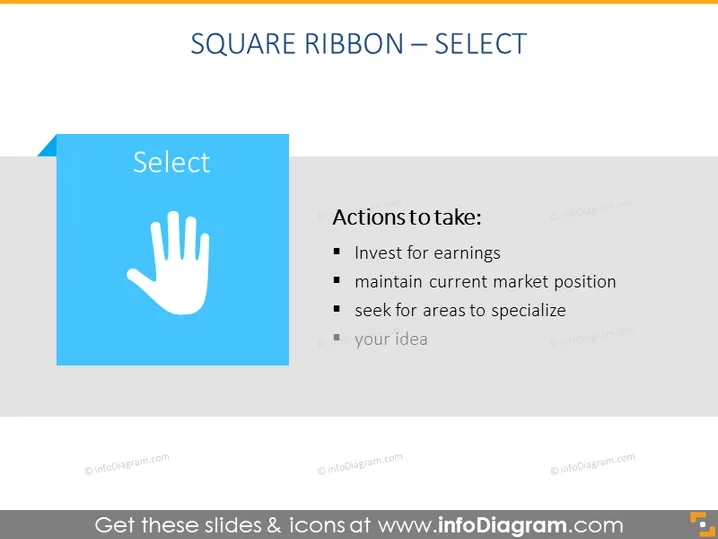
The PowerPoint slide is titled "SQUARE RIBBON – SELECT" and discusses strategic actions to take. "Invest for earnings" implies allocating resources to increase profit. "Maintain current market position" suggests securing a stable place in the market. Lastly, "seek for areas to specialize" encourages finding niche areas for expertise to gain a competitive edge. There is also a placeholder "your idea" indicating additional points can be added.
Graphical Look
- The slide title "SQUARE RIBBON – SELECT" is at the top in wide, capitalized font.
- A large blue square with a white ribbon edge appears on the left containing the word "Select".
- A white handprint icon is centered within the blue square.
- To the right of the blue square is a vertical list titled "Actions to take:" with three bullet points.
- The bullet points are followed by a grey placeholder that says "your idea".
- A faded dark text overlay on a light background makes up the rest of the slide.
The slide has a minimalistic design with a blue and white color scheme that emphasizes the selection concept with its handprint icon. The text is clear and easy to read, making the intended actions stand out.
Use Cases
- Presenting strategic business decisions in board meetings or strategy sessions.
- Summarizing action items during project planning or progress review discussions.
- Introducing steps for a specific process in a training or educational workshop.
- Brainstorming sessions where the team can contribute additional ideas to the "your idea" bullet point.
How to Edit
How to edit text & colors

How to expand / shorten diagram

How to Replace Icons in infoDiagram PPT


