
Reviews
Sus gráficos añaden un toque agradable a mis presentaciones y recientemente los usé para una de mis reuniones generales. Su conjunto de herramientas añade profesionalismo a mis diapositivas. En lugar de usar imágenes prediseñadas estándar.
Necesitaba un aspecto fresco para algunas de mis diapositivas. Había intentado encontrar una forma de crear un efecto de pincel, de subrayar, acentuar, añadir algo de color y los marcadores escritos a mano fueron justo lo que necesitaba. Muy fácil de usar, fácil de ajustar el tamaño, cambiar el color. Fue una solución asequible y perfecta, y estoy feliz de recomendarla.
El aspecto nítido y limpio de los gráficos, y el hecho de que me permitiera editar y cambiar fácilmente los colores para que coincidieran con la plantilla fue mi principal razón para comprarlos.
Description
SQUARE RIBBON – SELECT
Slide Content
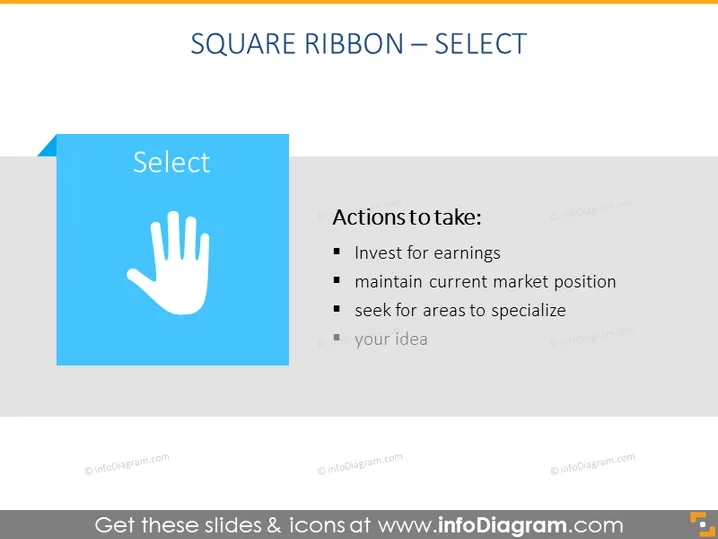
The PowerPoint slide is titled "SQUARE RIBBON – SELECT" and discusses strategic actions to take. "Invest for earnings" implies allocating resources to increase profit. "Maintain current market position" suggests securing a stable place in the market. Lastly, "seek for areas to specialize" encourages finding niche areas for expertise to gain a competitive edge. There is also a placeholder "your idea" indicating additional points can be added.
Graphical Look
- The slide title "SQUARE RIBBON – SELECT" is at the top in wide, capitalized font.
- A large blue square with a white ribbon edge appears on the left containing the word "Select".
- A white handprint icon is centered within the blue square.
- To the right of the blue square is a vertical list titled "Actions to take:" with three bullet points.
- The bullet points are followed by a grey placeholder that says "your idea".
- A faded dark text overlay on a light background makes up the rest of the slide.
The slide has a minimalistic design with a blue and white color scheme that emphasizes the selection concept with its handprint icon. The text is clear and easy to read, making the intended actions stand out.
Use Cases
- Presenting strategic business decisions in board meetings or strategy sessions.
- Summarizing action items during project planning or progress review discussions.
- Introducing steps for a specific process in a training or educational workshop.
- Brainstorming sessions where the team can contribute additional ideas to the "your idea" bullet point.
How to Edit
How to edit text & colors

How to expand / shorten diagram

How to Replace Icons in infoDiagram PPT


