
Reviews
Sus gráficos añaden un toque agradable a mis presentaciones y recientemente los usé para una de mis reuniones generales. Su conjunto de herramientas añade profesionalismo a mis diapositivas. En lugar de usar imágenes prediseñadas estándar.
Necesitaba un aspecto fresco para algunas de mis diapositivas. Había intentado encontrar una forma de crear un efecto de pincel, de subrayar, acentuar, añadir algo de color y los marcadores escritos a mano fueron justo lo que necesitaba. Muy fácil de usar, fácil de ajustar el tamaño, cambiar el color. Fue una solución asequible y perfecta, y estoy feliz de recomendarla.
El aspecto nítido y limpio de los gráficos, y el hecho de que me permitiera editar y cambiar fácilmente los colores para que coincidieran con la plantilla fue mi principal razón para comprarlos.
Description
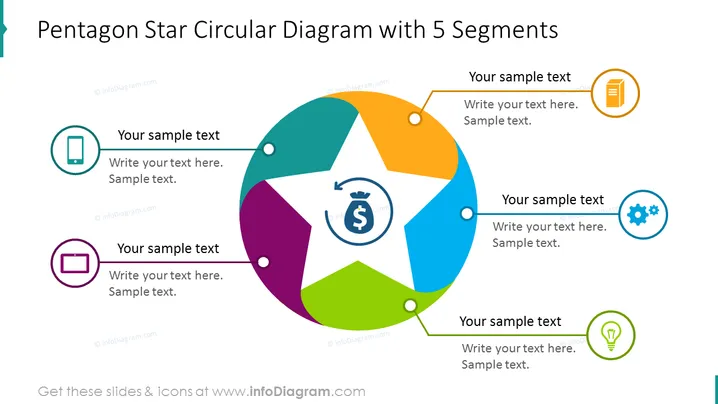
Pentagon Star Circular Diagram with 5 Segments
Slide Content
The slide presents a colorful pentagon star circular diagram with 5 segments used to illustrate a concept that has five interconnected elements. Each segment is paired with an icon and space for text, suggesting an area to provide details or descriptions. These elements could represent stages of a process, parts of an organization, or components of a strategy. Icons include a mobile phone, a battery, a clipboard, gears, and a light bulb, indicating various aspects such as communication, energy, planning, operations, and innovation.
Graphical Look
- A central circular graphic with five distinct colored segments, forming a star-like shape akin to a pentagon.
- Around the central graphic, there are five circular icons, each with a different symbol inside, corresponding to the colors of the segments they're connected to.
- Five lines of text corresponding to each icon and segment, including spaces for a title and descriptive text.
- The background is a simple white color, putting emphasis on the colorful diagram and text areas.
The slide features a modern and clean design, utilizing vibrant colors and distinct shapes to emphasize the connections between the different segments and icons. The circular star shape provides a dynamic and interlinked visual representation that is easy to interpret.
Use Cases
- To illustrate the components of a business strategy, where each segment represents a different strategic focus area.
- For presenting the stages of a product development cycle, with each segment detailing a different phase from concept to market release.
- As a visual aid to discuss different departments within an organization and their interrelations.
- To break down complex concepts in training materials, aiding in the visualization of the interconnected parts.
How to Edit
How to edit text & colors

How to expand / shorten diagram

How to Replace Icons in infoDiagram PPT


