
Reviews
Ihre Grafiken verleihen meinen Präsentationen eine nette Note, und ich habe sie kürzlich für eines meiner All-Hands-Meetings verwendet. Ihre Toolbox verleiht meinen Folien Professionalität, anstatt Standard-Clipart zu verwenden.
Ich brauchte einen neuen Blick auf einige meiner Folien. Ich habe versucht, einen Weg zu finden, einen Pinselschlag-Effekt zu erzielen, um zu unterstreichen, hervorzuheben, Farbe hinzuzufügen, und die handgeschriebenen Markierungen waren genau das Richtige. Sehr einfach zu bedienen, leicht in der Größe zu ändern, die Farbe zu ändern. Es war eine erschwingliche, perfekte Lösung und ich empfehle sie gerne weiter.
Die klare, saubere Optik der Grafiken und die Tatsache, dass ich die Farben leicht bearbeiten und an die Vorlage anpassen konnte, war mein Hauptgrund für den Kauf.
Description
Security Symbols
Slide Content
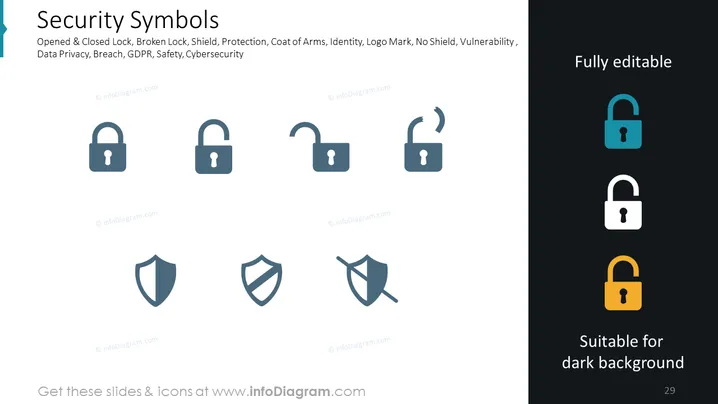
The slide, titled "Security Symbols," depicts a series of icons representing various aspects of security and privacy. The icons include an opened and closed lock, symbolizing access and protection; a broken lock, indicating vulnerability or breach; and shields, suggesting defense and privacy. Accompanying keywords mention data privacy, breaches, GDPR, safety, and cybersecurity, alluding to the broader context in which these symbols are relevant.
Graphical Look
- The slide background is plain white, providing a neutral base for the content.
- Two columns of icons are presented: the left side contains two padlocks in the 'locked' position and two shield icons; the right side contains two 'unlocked' padlocks and a crossed-out shield icon.
- Each set of icons is in a different shade of blue, except for the rightmost column, which shows padlocks in color variations adaptable for dark backgrounds.
- The icons are simple, modern, and have a flat design aesthetic.
- The slide title "Security Symbols" is prominent at the top in a larger, bold font.
- Keywords are listed beneath the title in a lighter font, creating a hierarchy of information.
- The right side of the slide features a vertical bar with the text "Fully editable" and a smaller horizontal section labeled "Suitable for dark background."
The overall look of the slide is clean and professional with a minimalistic approach to design. The use of different shades of blue with a touch of accent color for contrast helps to distinguish the icons and their meaning.
Use Cases
- To introduce cybersecurity concepts in an educational or training presentation.
- In a business meeting to discuss improvements in data protection strategies.
- When presenting a security audit's findings to highlight areas of concern.
- As visual aids in marketing materials for security products or services.
How to Edit
How to edit text & colors

How to expand / shorten diagram

How to Replace Icons in infoDiagram PPT


