
Reviews
Your graphics add a nice touch to my presentations and I recently used them for one of my all-hands meetings. Your toolbox adds professionalism to my slides. Instead of using standard clipart.
I needed a fresh look at some of my slides. I've tried to find a way to create a paintbrush effect, to underline, accentuate, add some color and the handwritten markers were just the things. Very easy to use, easy to size, change the color. It was an affordable, perfect solution and I'm happy to recommend it.
The crisp, clean look of the graphics, and the fact that it allowed me to easily edit and change the colors to match the template was my main reason for purchasing them.
Description
Icons
Slide Content
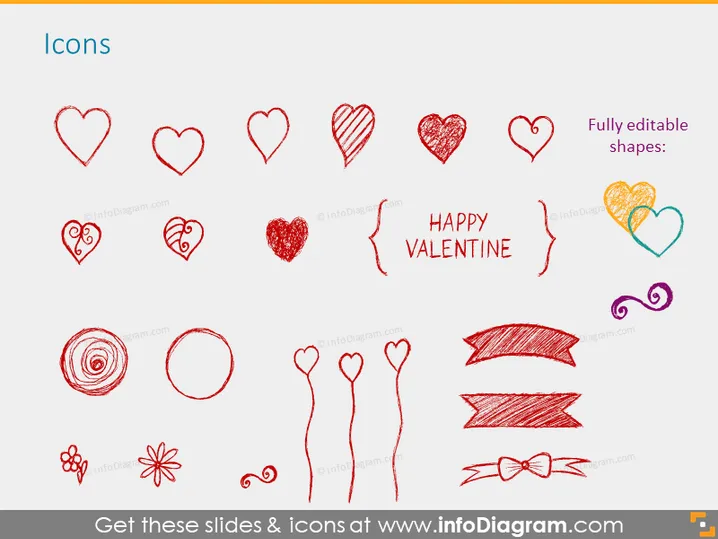
The PowerPoint slide is centered around Valentine's Day decoration with a variety of heart icons intended to visually convey love or affection. There are 12 unique hand-drawn hearts, varying from an unadorned heart shape to more intricate designs that include glitter texture, stripes, and swirls. Additionally, there are two floral icons, a circle, two ribbon banners, and a bow icon, alongside the stylized text "HAPPY VALENTINE" framed by decorative elements. The hearts and other elements offer different styles, which implies versatility in representing love-related concepts.
Graphical Look
- The slide background is white, providing a clean, neutral canvas for the content.
- Each icon is hand-drawn in a scribbled style, giving a casual, personal touch.
- The color palette consists of two main colors: red and purple, with shades of each adding depth and variety.
- Text "HAPPY VALENTINE" is centered in the middle right side, and is larger than other elements, serving as a focal point.
- Icons are arranged in a balanced and scattered manner, with some tilted at angles for a dynamic feel.
- A small caption on the top right corner states "Fully editable shapes," indicating the functional aspect of the slide.
- The icons vary in complexity; some hearts have a solid fill, while others have patterns or a blend of colors.
The overall look is playful and informal, with the sketched icons and bright colors creating a visually engaging and friendly atmosphere. The diverse representation of hearts conveys the theme of love and can be easily adapted to different design needs.
Use Cases
- Customizing a presentation with thematic Valentine's Day icons for events or promotions related to the holiday.
- Decorating marketing materials, such as posters, menus, or advertising, with festive and eye-catching elements.
- Personalizing greeting cards or invitations for a Valentine's Day party, wedding, or relationship milestone.
- Enh ancing social media posts or digital content with visual elements to celebrate love and affection during Valentine's season.
How to Edit
How to edit text & colors

How to expand / shorten diagram

How to Replace Icons in infoDiagram PPT


