
Reviews
Ihre Grafiken verleihen meinen Präsentationen eine nette Note, und ich habe sie kürzlich für eines meiner All-Hands-Meetings verwendet. Ihre Toolbox verleiht meinen Folien Professionalität, anstatt Standard-Clipart zu verwenden.
Ich brauchte einen neuen Blick auf einige meiner Folien. Ich habe versucht, einen Weg zu finden, einen Pinselschlag-Effekt zu erzielen, um zu unterstreichen, hervorzuheben, Farbe hinzuzufügen, und die handgeschriebenen Markierungen waren genau das Richtige. Sehr einfach zu bedienen, leicht in der Größe zu ändern, die Farbe zu ändern. Es war eine erschwingliche, perfekte Lösung und ich empfehle sie gerne weiter.
Die klare, saubere Optik der Grafiken und die Tatsache, dass ich die Farben leicht bearbeiten und an die Vorlage anpassen konnte, war mein Hauptgrund für den Kauf.
Description
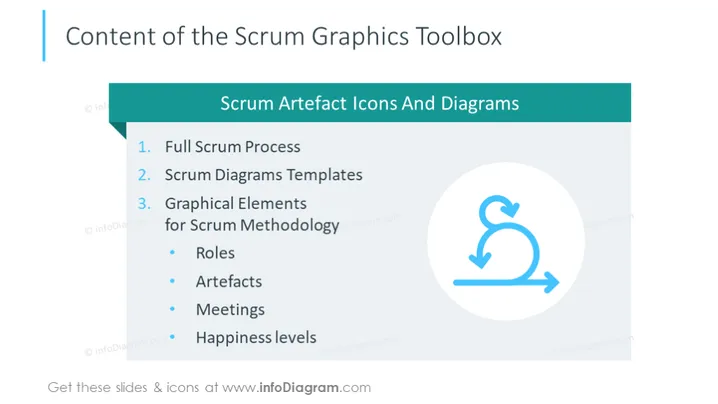
Content of the Scrum Graphics Toolbox
Slide Content
The slide is titled "Content of the Scrum Graphics Toolbox" and outlines what is included in the toolbox. The Scrum Graphics Toolbox presumably offers a variety of resources and templates for Scrum practitioners. It includes a full overview of the Scrum process, versatile diagram templates designed for Scrum activities, and graphical elements specific to Scrum methodology such as Roles (defining the responsibilities of team members), Artifacts (the tools and documents used in Scrum), Meetings (types of gatherings held during a Scrum cycle), and approaches to assess Happiness levels within a team.
Graphical Look
- A large title at the top in bold, capital letters.
- A teal-colored banner that spans the width of the slide below the title contains the subtitle "Scrum Artefact Icons And Diagrams".
- A bulleted list to the left, with each item numbered and followed by a brief textual description.
- A circular graphic to the right with a repeating arrow icon, indicating a cyclical process, set against a white background within a circle, encapsulating concepts of iteration or feedback loops in Scrum.
- The slide background is plain white, which accentuates the content for readability.
The slide adopts a clean and professional layout with a simple color scheme, enhancing focus on the content. The graphical elements serve as visual cues for the concepts introduced in the textual descriptions.
Use Cases
- Presenting an overview of Scrum tools in a Scrum training session or workshop.
- Introducing a Scrum team to the resources available in the toolbox during an initial project meeting.
- Including in sales or informational presentations to showcase a product suite geared towards Scrum practitioners.
- Providing a visual guide within educational content or e-learning modules focused on the Scrum framework.
How to Edit
How to edit text & colors

How to expand / shorten diagram

How to Replace Icons in infoDiagram PPT


