

Your graphics add a nice touch to my presentations and I recently used them for one of my all-hands meetings. Your toolbox adds professionalism to my slides. Instead of using standard clipart.
Claude Jones, Director of Engineer, @Walmartlabs, USA

Your graphics add a nice touch to my presentations and I recently used them for one of my all-hands meetings. Your toolbox adds professionalism to my slides. Instead of using standard clipart.
Claude Jones, Director of Engineer, @Walmartlabs, USA
I needed a fresh look at some of my slides. I've tried to find a way to create a paintbrush effect, to underline, accentuate, add some color and the handwritten markers were just the things. Very easy to use, easy to size, change the color. It was an affordable, perfect solution and I'm happy to recommend it.
Anonymous, US
The crisp, clean look of the graphics, and the fact that it allowed me to easily edit and change the colors to match the template was my main reason for purchasing them.
Brandie Jenkins, E-learning Developer, USA
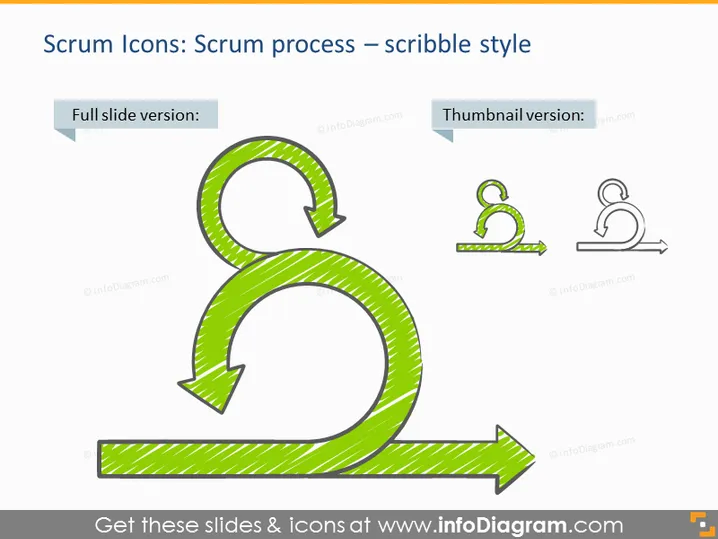
The slide illustrates the concept of the Scrum process in a scribble style, which is a framework for developing, delivering, and sustaining complex products through collaborative work. The slide features two representations of the same Scrum process icon: a full slide version and a thumbnail version. The full slide version is larger and more detailed, allowing the viewer to get a clearer understanding of the Scrum methodology represented by a circular arrow looping back to the starting point, signifying iterative development, and a forward-pointing arrow, indicating progression.
The slide has a simple and clean design, focusing on the Scrum process icon. The scribble style of the icons gives the slide a casual, hand-drawn feel.



