
Reviews
Sus gráficos añaden un toque agradable a mis presentaciones y recientemente los usé para una de mis reuniones generales. Su conjunto de herramientas añade profesionalismo a mis diapositivas. En lugar de usar imágenes prediseñadas estándar.
Necesitaba un aspecto fresco para algunas de mis diapositivas. Había intentado encontrar una forma de crear un efecto de pincel, de subrayar, acentuar, añadir algo de color y los marcadores escritos a mano fueron justo lo que necesitaba. Muy fácil de usar, fácil de ajustar el tamaño, cambiar el color. Fue una solución asequible y perfecta, y estoy feliz de recomendarla.
El aspecto nítido y limpio de los gráficos, y el hecho de que me permitiera editar y cambiar fácilmente los colores para que coincidieran con la plantilla fue mi principal razón para comprarlos.
Description
Slide Title
The image does not contain a readable slide title that can be expressed in text.
Slide Content
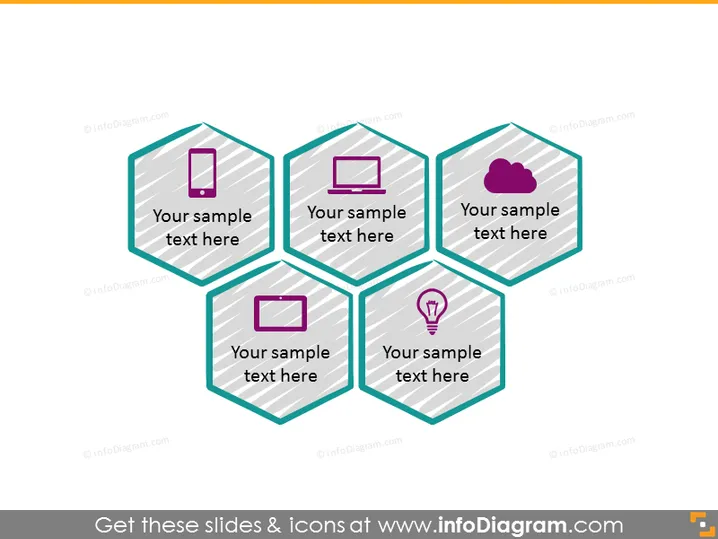
The slide contains four hexagon shapes connected together, each featuring an icon and a placeholder for text. It seems to represent a model or framework where each hexagonal shape could symbolize a connected concept or component of an overall strategy. The icons—a mobile phone, a desktop computer, a cloud, and a lightbulb—possibly denote themes like mobility, computing, cloud services, and innovation or ideas, respectively. Each icon is accompanied by a placeholder text "Your sample text here" indicating where personalized information can be added.
Graphical Look
- The slide has a white background with a subtle watermark.
- Four hexagon shapes are arranged in a two-by-two formation, connected on their sides.
- Each hexagon features a thick border with a distinct, darker shade of teal.
- Inside the hexagons, there's a light gray and white striped pattern.
- Each hexagon contains an icon and a text placeholder; the icons are a mobile phone, a desktop computer, a cloud, and a lightbulb, each with its own different color.
- The icons are simplistic and have a flat, modern design.
- The text placeholders are in a sans-serif font and are capitalized.
The overall look is modern and sleek, with a professional design aesthetic. The consistent use of geometric shapes and flat icons contributes to a sense of organized and interconnected content.
Use Cases
- To illustrate a business model or framework where each hexagon represents a key aspect or component.
- For presenting technological strategies, where the symbols can represent areas like mobile access, cloud computing, and innovation.
- In workshops or brainstorms to outline different themes or topics and expand upon each in subsequent discussion.
- As a visual aid during organizational meetings to summarize multiple facets of a project or product strategy.
How to Edit
How to edit text & colors

How to expand / shorten diagram

How to Replace Icons in infoDiagram PPT


