
Reviews
Deine Folien sind meine 'geheime Zutat', wenn es darum geht, meine Ideen Kunden zu visualisieren. Ich spare so viel Zeit.
Ihre Folien führen oft zu guten Kommentaren und Ideen meines Teams, die die endgültigen Folien verbessern.
Description
SCRIBBLE FUNNEL – 6 LEVELS
Slide Content
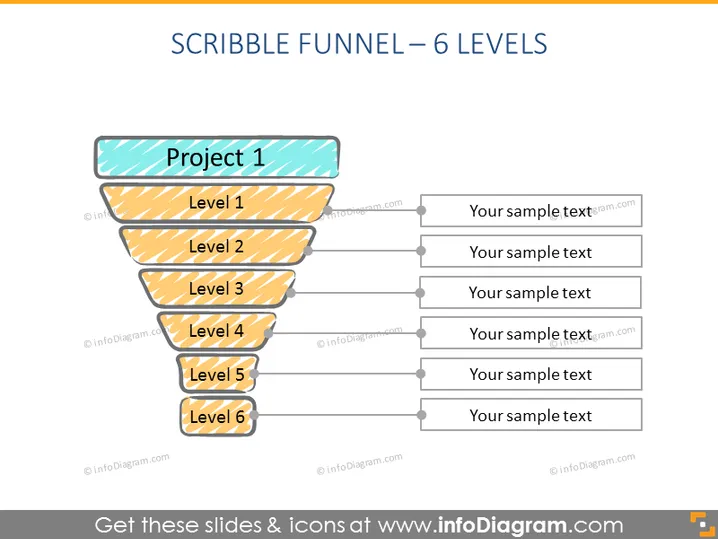
The depicted PowerPoint slide represents a "Scribble Funnel" with 6 distinct levels. Each level is labeled from "Project 1" at the top to "Level 6" at the bottom, and is paired with a placeholder for text, suggesting a step or stage in a process. This visual metaphor can be used to illustrate a project's workflow, sales pipeline, or organizational structure, where "Project 1" could denote the initial concept or entry point, and "Level 6" could indicate the final outcome or goal.
Graphical Look
- A large, central funnel graphic with a hand-drawn, scribbled style
- Six horizontal sections within the funnel, decreasing in size from top to bottom, each filled with a different shade of yellow-orange, except the topmost section which is filled with teal
- Text labels on each funnel section in bold font, ranging from "Project 1" at the top to "Level 6" at the bottom
- Light gray lines extending from each section of the funnel to the right, leading to text boxes with placeholder text
- Text boxes have a darker gray border and light gray fill
- A clean, white background that contributes to the visual clarity of the funnel
The overall look of the slide is playful and casual, owing to the hand-drawn style of the funnel. It uses a simple color palette centered around shades of yellow-orange for clarity and focus on the information hierarchy.
Use Cases
- To depict stages in a sales process or customer journey during a business presentation
- As a visual tool for outlining project management steps or phases in a project update meeting
- To illustrate levels of organizational hierarchy or decision-making flow in an internal company briefing
- For educational purposes to explain concepts of sequencing, such as in a marketing funnel or product development process
How to Edit
How to edit text & colors

How to expand / shorten diagram

How to Replace Icons in infoDiagram PPT


