
Reviews
Sus gráficos añaden un toque agradable a mis presentaciones y recientemente los usé para una de mis reuniones generales. Su conjunto de herramientas añade profesionalismo a mis diapositivas. En lugar de usar imágenes prediseñadas estándar.
Necesitaba un aspecto fresco para algunas de mis diapositivas. Había intentado encontrar una forma de crear un efecto de pincel, de subrayar, acentuar, añadir algo de color y los marcadores escritos a mano fueron justo lo que necesitaba. Muy fácil de usar, fácil de ajustar el tamaño, cambiar el color. Fue una solución asequible y perfecta, y estoy feliz de recomendarla.
El aspecto nítido y limpio de los gráficos, y el hecho de que me permitiera editar y cambiar fácilmente los colores para que coincidieran con la plantilla fue mi principal razón para comprarlos.
Description
Science, Research, Education Icons
Slide Content
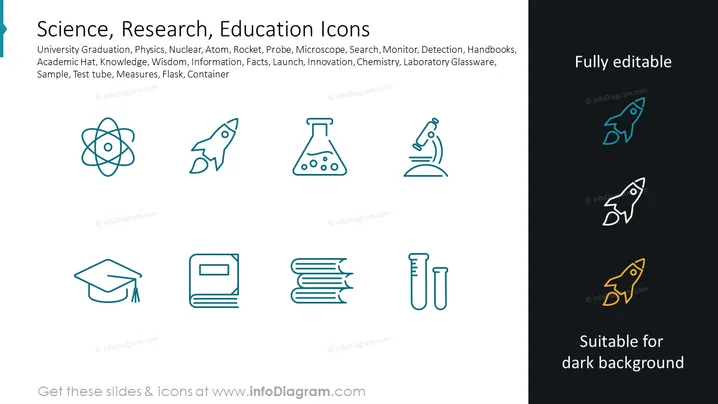
This PowerPoint slide showcases a collection of icons related to science, research, and education. Each icon represents a different concept: an atom symbolizes physics and nuclear science; a rocket stands for space exploration and innovation; a microscope is associated with meticulous research; a book indicates academic knowledge; an academic cap represents university graduation and wisdom; a test tube and flask signify experimentation and chemistry.
Graphical Look
- The slide has a clean, dark background that enhances the visibility of the icons.
- There are eight distinct icons, each neatly illustrated with thin, light blue lines.
- Icons are arranged in a grid pattern, with two rows and four columns.
- The icons include an atom, rocket, microscope, cap, book, stack of books, flask, and test tubes.
- "Fully editable" and "Suitable for dark background" messages are on the right side with corresponding icons.
- Each icon has a corresponding outline duplicate positioned to its right with a slightly different shade to indicate editability.
The overall look is sleek, professional, and designed to be visually impactful while remaining simple. The slide balances visual elements by evenly distributing icons and using subtle color variations to differentiate individual graphics.
Use Cases
- Presenting various academic disciplines or research departments within an educational institution.
- Introducing components of a scientific research methodology in a thesis defense or research proposal.
- Illustrating areas of expertise in an individual's or organization's portfolio during industry conferences.
- Enhancing science or education-themed marketing materials with relevant visual symbols.
How to Edit
How to edit text & colors

How to expand / shorten diagram

How to Replace Icons in infoDiagram PPT


