

Your graphics add a nice touch to my presentations and I recently used them for one of my all-hands meetings. Your toolbox adds professionalism to my slides. Instead of using standard clipart.
Claude Jones, Director of Engineer, @Walmartlabs, USA

Your graphics add a nice touch to my presentations and I recently used them for one of my all-hands meetings. Your toolbox adds professionalism to my slides. Instead of using standard clipart.
Claude Jones, Director of Engineer, @Walmartlabs, USA
I needed a fresh look at some of my slides. I've tried to find a way to create a paintbrush effect, to underline, accentuate, add some color and the handwritten markers were just the things. Very easy to use, easy to size, change the color. It was an affordable, perfect solution and I'm happy to recommend it.
Anonymous, US
The crisp, clean look of the graphics, and the fact that it allowed me to easily edit and change the colors to match the template was my main reason for purchasing them.
Brandie Jenkins, E-learning Developer, USA
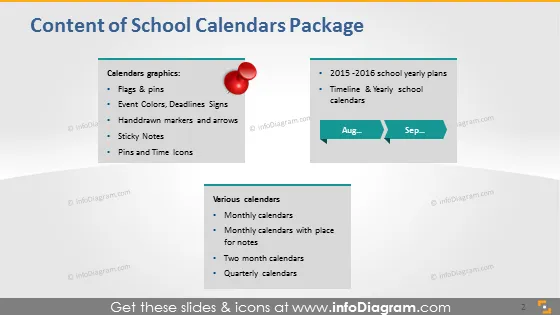
The slide is divided into three sections, each listing different components of a "School Calendars Package." The first section, "Calendars graphics," includes flags & pins, event colors and deadline signs, handdrawn markers and arrows, sticky notes, and pins and time icons, suggesting visual aids and markers for calendar customization. The second section features "2015-2016 school yearly plans," implying templates for academic year planning, and a "Timeline & Yearly school calendars" item indicating a tool for visualizing the school year timeline. The last section, "Various calendars," offers monthly, monthly with space for notes, two-month, and quarterly calendar templates, providing options for different scheduling needs.
The slide uses a minimalistic design with clear distinctions between the sections. The red pin icon and the calendar timeline graphic stand out as visual cues to assist in categorization and emphasis.



