
Reviews
Your graphics add a nice touch to my presentations and I recently used them for one of my all-hands meetings. Your toolbox adds professionalism to my slides. Instead of using standard clipart.
I needed a fresh look at some of my slides. I've tried to find a way to create a paintbrush effect, to underline, accentuate, add some color and the handwritten markers were just the things. Very easy to use, easy to size, change the color. It was an affordable, perfect solution and I'm happy to recommend it.
The crisp, clean look of the graphics, and the fact that it allowed me to easily edit and change the colors to match the template was my main reason for purchasing them.
Description
Schedule & Time Symbols
Slide Content
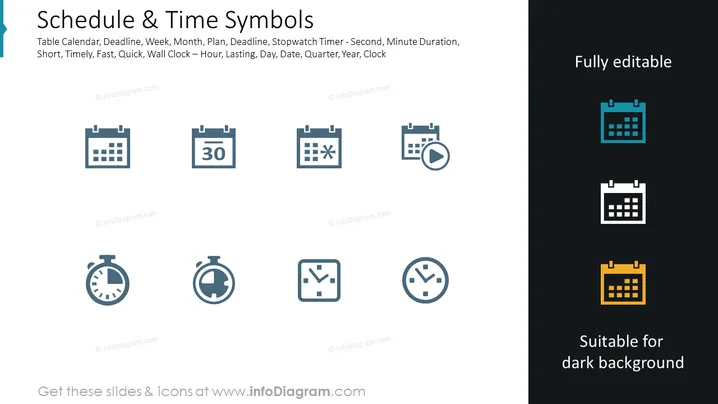
The PowerPoint slide is titled "Schedule & Time Symbols" and lists various icons associated with time management and scheduling, such as a table calendar, deadline, and stopwatch timer. Each icon represents a concept: a table calendar for planning, a deadline icon suggests a time-bound task, a stopwatch for tracking short durations, and a clock conveys the idea of time or a specific hour.
Graphical Look
- The slide background is split; the left side is white, and the right side is dark blue.
- There are eight icons evenly distributed across the split background, with four icons on the white side and three on the blue side, plus one that straddles both.
- Each icon is a simple, minimalistic graphic related to time or scheduling:
- The first row includes various calendar designs indicating deadlines or dates.
- The second row includes different types of clocks and stopwatches implying duration and timekeeping.
- The text "Fully editable" is aligned to the right, in the middle of the dark blue section.
- The phrase "Suitable for dark background" is in the lower right, suggesting the icons' adaptability to different slide backgrounds.
- The icons are grey on the white side and white on the dark blue side for contrast.
The overall look of the slide is clean and professional, using a contrasting color scheme to enhance readability. The simplicity of the icons ensures their message is immediately clear.
Use Cases
- To illustrate timelines and milestones in project management presentations.
- For visual emphasis on deadlines and important dates in planning meetings.
- Within training materials that teach time management and organizational skills.
- As part of an infographic in a business report summarizing performance timelines or operational schedules.
How to Edit
How to edit text & colors

How to expand / shorten diagram

How to Replace Icons in infoDiagram PPT


