

Your graphics add a nice touch to my presentations and I recently used them for one of my all-hands meetings. Your toolbox adds professionalism to my slides. Instead of using standard clipart.
Claude Jones, Director of Engineer, @Walmartlabs, USA

Your graphics add a nice touch to my presentations and I recently used them for one of my all-hands meetings. Your toolbox adds professionalism to my slides. Instead of using standard clipart.
Claude Jones, Director of Engineer, @Walmartlabs, USA
I needed a fresh look at some of my slides. I've tried to find a way to create a paintbrush effect, to underline, accentuate, add some color and the handwritten markers were just the things. Very easy to use, easy to size, change the color. It was an affordable, perfect solution and I'm happy to recommend it.
Anonymous, US
The crisp, clean look of the graphics, and the fact that it allowed me to easily edit and change the colors to match the template was my main reason for purchasing them.
Brandie Jenkins, E-learning Developer, USA
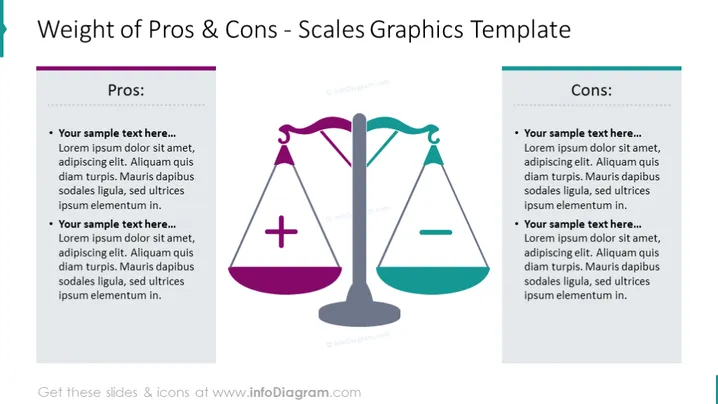
Pros and cons scale slide is an editable graphic design template to create visually appealing PowerPoint presentations. You can use this PowerPoint template to compare a product's positives and negatives, talk about a decision, or weigh a strategy's advantages and disadvantages. This design is a popular visual tool used as a metaphor for the pros and cons of templates. You can use this pros and cons ppt slide if you want to highlight your presentation with attractive slides, clear infographics, icons, and themes. Our work is design; we create with expertise, love, and care. If this diagram is not what you are looking for, you can find more templates on our website. Head to our official website to search for more templates, diagrams, icons, and presentations.
###With our fully editable set of vector shapes. You can:
After purchasing the pros and cons presentation template for PowerPoint, you will get immediate access to the ppt templates. You can download your PowerPoint slide templates right after the purchase screen or download them whenever you need an infographic comparing the pros and cons of using your personal cloud. After downloading the PowerPoint presentation template, you can start creating your presentation using PowerPoint or Google Slides. You can copy and paste the contents using shortcuts or dragging the PowerPoint template.
Copy infoDiagram PowerPoint presentation template and paste it to your own presentation file. Change the color (eg. green and red), text (eg. monetary gain, expanding our market), and graphic diagram (eg. making it bigger or smaller) according to your needs. Use the plus side to explain the pros and use the minus side to explain the cons of a venture or business process. Use the template to explain the positive and negative sides of the concept to your audience. Make sure you don't use too many words and try to make it simple. With pros and cons of PowerPoint templates, it's unnecessary use a long list of bullet points. Just pick your subject, do your research and create your presentation without too many words.
If you also need general tips to be a successful presenter, you should be knowledgeable about your subject before you even prepare your presentation. If you know your subject well, you can use more visuals instead of long texts to remind you of the important points. Using a plus sign or an arrow to remember the positives is a good example. You can use this idea for different subjects as well: Seeing the picture of a really hot desert is a good reminder of rising heat levels when you are talking about Global warming. Applying this method will make your slides easier to prepare while also making it easier for your audience to follow them.
Authors infoDiagram Team Have any questions? Contact us!



