

Your graphics add a nice touch to my presentations and I recently used them for one of my all-hands meetings. Your toolbox adds professionalism to my slides. Instead of using standard clipart.
Claude Jones, Director of Engineer, @Walmartlabs, USA

Your graphics add a nice touch to my presentations and I recently used them for one of my all-hands meetings. Your toolbox adds professionalism to my slides. Instead of using standard clipart.
Claude Jones, Director of Engineer, @Walmartlabs, USA
I needed a fresh look at some of my slides. I've tried to find a way to create a paintbrush effect, to underline, accentuate, add some color and the handwritten markers were just the things. Very easy to use, easy to size, change the color. It was an affordable, perfect solution and I'm happy to recommend it.
Anonymous, US
The crisp, clean look of the graphics, and the fact that it allowed me to easily edit and change the colors to match the template was my main reason for purchasing them.
Brandie Jenkins, E-learning Developer, USA
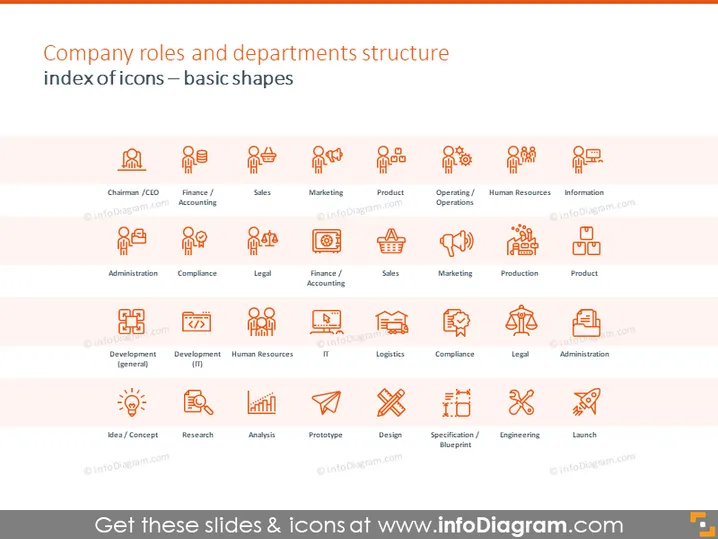
The PowerPoint slide presents an organized index of icons representing various company roles and departments, aiding in visual categorization. The first row features executive and broader categories such as 'Chairman / CEO,' 'Finance / Accounting,' and 'Sales'; while the subsequent rows delve into more specific functions, exemplifying 'Administration,' 'Compliance,' and 'Marketing.' The third row highlights operational aspects like 'Product,' 'Operating / Operations,' and 'Human Resources.' The final row is centered on the product development life cycle, showcasing 'Idea / Concept' through 'Launch,' detailing each phase's significance such as research, analysis, design, and engineering.
The slide is cleanly designed with a modern look, using icons and text to convey its message in an intuitive, visually appealing manner.



