
Reviews
Ihre Grafiken verleihen meinen Präsentationen eine nette Note, und ich habe sie kürzlich für eines meiner All-Hands-Meetings verwendet. Ihre Toolbox verleiht meinen Folien Professionalität, anstatt Standard-Clipart zu verwenden.
Ich brauchte einen neuen Blick auf einige meiner Folien. Ich habe versucht, einen Weg zu finden, einen Pinselschlag-Effekt zu erzielen, um zu unterstreichen, hervorzuheben, Farbe hinzuzufügen, und die handgeschriebenen Markierungen waren genau das Richtige. Sehr einfach zu bedienen, leicht in der Größe zu ändern, die Farbe zu ändern. Es war eine erschwingliche, perfekte Lösung und ich empfehle sie gerne weiter.
Die klare, saubere Optik der Grafiken und die Tatsache, dass ich die Farben leicht bearbeiten und an die Vorlage anpassen konnte, war mein Hauptgrund für den Kauf.
Description
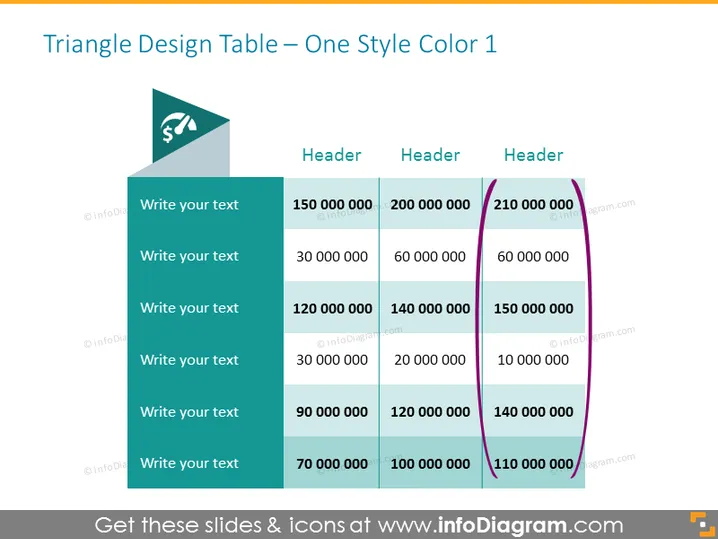
Triangle Design Table – One Style Color 1
Slide Content
This PowerPoint slide titled "Triangle Design Table – One Style Color 1" seems to be a financial presentation template designed to display data in both textual and numeric formats. The content includes sample text suggesting space for custom input, such as financial descriptions, and example figures ranging from 10,000,000 to 210,000,000, which seem to serve as placeholders for monetary values or other numerical data.
Graphical Look
- The slide has a white background with a large title at the top in dark text.
- The graphical objects include colored rectangular shapes overlaid with white text boxes.
- There is a larger teal-colored triangle in the top left corner with a dollar sign icon, which serves as a design element or visual anchor for the table.
- A table with four vertical columns is arranged in the central part of the slide, with header cells in a darker shade than the cells below them.
- The third column's header and cells are distinguished with a purple side border extending from the top header cell to the bottom of the table.
- Each row includes a different monetary value, aligned to the right within each cell.
The overall look of the slide is clean and professional, with a simple color scheme that visually separates the text and numeric data. The design elements, especially the colored triangle and the bold purple column border, add a modern flair to the presentation.
Use Cases
- This slide can be used in a financial report presentation to showcase budget divisions, expenditure, or revenue across different departments or categories.
- It is suitable for comparing sales figures or performance metrics across different regions or products in a business review meeting.
- The slide can serve as a summary of financial highlights in an annual general meeting or investor relations material.
- It might also be utilized in project proposals to outline cost estimates or funding requirements.
How to Edit
How to edit text & colors

How to expand / shorten diagram

How to Replace Icons in infoDiagram PPT


