
Reviews
Your graphics add a nice touch to my presentations and I recently used them for one of my all-hands meetings. Your toolbox adds professionalism to my slides. Instead of using standard clipart.
I needed a fresh look at some of my slides. I've tried to find a way to create a paintbrush effect, to underline, accentuate, add some color and the handwritten markers were just the things. Very easy to use, easy to size, change the color. It was an affordable, perfect solution and I'm happy to recommend it.
The crisp, clean look of the graphics, and the fact that it allowed me to easily edit and change the colors to match the template was my main reason for purchasing them.
Description
Rocket Launch Tasks List - 6 Stages Version
Slide Content
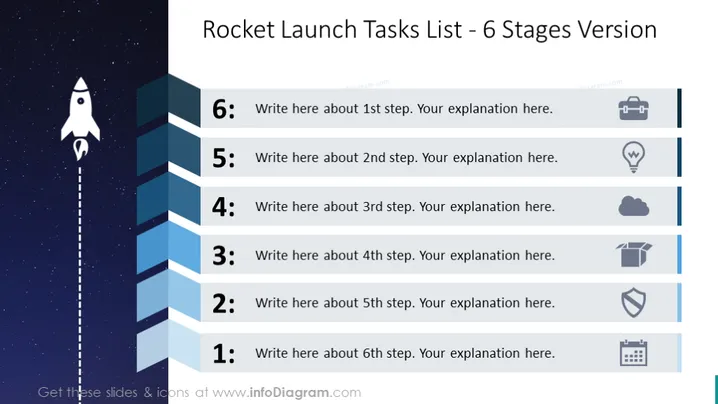
The PowerPoint slide is designed to outline a six-stage process, using a rocket launch theme as a metaphor for the progression and escalation of tasks or project milestones. Each numbered stage on the slide has a designated space for text, intended for a detailed explanation of that particular step. Steps range from 1 to 6, symbolizing a sequence or build-up in a project or process.
Graphical Look
- The slide background depicts a starry sky, adding depth and a sense of space exploration.
- A cartoon-like rocket is placed on the left side of the slide, visually signifying the ascent through the six stages.
- A dotted line extends from the base of the rocket to the top of the slide, representing the rocket's trajectory.
- Six rectangular shapes are arranged vertically, each with a unique gradient of blue, signifying the steps from 1 to 6.
- Each shape contains a light gray number and placeholder text for custom content.
- Next to each rectangle, there is an icon representing the stage, with a gray outline.
- The icons, from top to bottom, include a suitcase, a light bulb, a cloud, a box, a shield, and calendar pages, adding a visual element to each step.
The slide has an overall clean and modern design, with a creative use of space themes to visually convey progress. The icons help to break up text and add context or metaphorical meaning to each stage.
Use Cases
- Outlining project timelines in project management presentations to visualize different project phases.
- Describing a step-by-step process in training or educational materials for employees or students.
- Visualizing the roadmap or strategy for product development in a business meeting.
- Using it as an agenda slide, detailing the main points and topics to be discussed in a sequential format for workshops or seminars.
How to Edit
How to edit text & colors

How to expand / shorten diagram

How to Replace Icons in infoDiagram PPT


