
Reviews
Ihre Grafiken verleihen meinen Präsentationen eine nette Note, und ich habe sie kürzlich für eines meiner All-Hands-Meetings verwendet. Ihre Toolbox verleiht meinen Folien Professionalität, anstatt Standard-Clipart zu verwenden.
Ich brauchte einen neuen Blick auf einige meiner Folien. Ich habe versucht, einen Weg zu finden, einen Pinselschlag-Effekt zu erzielen, um zu unterstreichen, hervorzuheben, Farbe hinzuzufügen, und die handgeschriebenen Markierungen waren genau das Richtige. Sehr einfach zu bedienen, leicht in der Größe zu ändern, die Farbe zu ändern. Es war eine erschwingliche, perfekte Lösung und ich empfehle sie gerne weiter.
Die klare, saubere Optik der Grafiken und die Tatsache, dass ich die Farben leicht bearbeiten und an die Vorlage anpassen konnte, war mein Hauptgrund für den Kauf.
Description
Rocket Launch Tasks List - 6 Stages Version
Slide Content
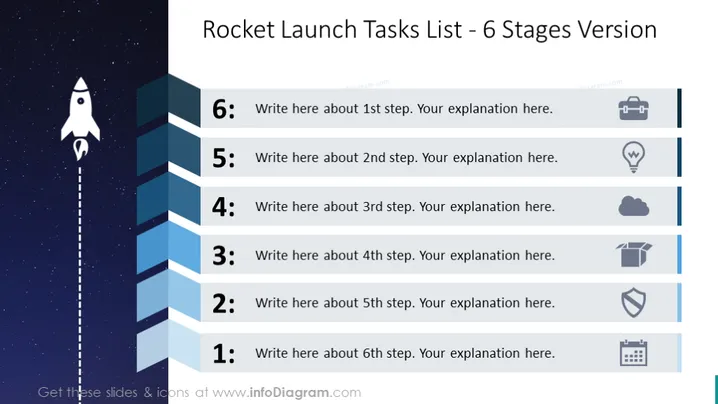
The PowerPoint slide is designed to outline a six-stage process, using a rocket launch theme as a metaphor for the progression and escalation of tasks or project milestones. Each numbered stage on the slide has a designated space for text, intended for a detailed explanation of that particular step. Steps range from 1 to 6, symbolizing a sequence or build-up in a project or process.
Graphical Look
- The slide background depicts a starry sky, adding depth and a sense of space exploration.
- A cartoon-like rocket is placed on the left side of the slide, visually signifying the ascent through the six stages.
- A dotted line extends from the base of the rocket to the top of the slide, representing the rocket's trajectory.
- Six rectangular shapes are arranged vertically, each with a unique gradient of blue, signifying the steps from 1 to 6.
- Each shape contains a light gray number and placeholder text for custom content.
- Next to each rectangle, there is an icon representing the stage, with a gray outline.
- The icons, from top to bottom, include a suitcase, a light bulb, a cloud, a box, a shield, and calendar pages, adding a visual element to each step.
The slide has an overall clean and modern design, with a creative use of space themes to visually convey progress. The icons help to break up text and add context or metaphorical meaning to each stage.
Use Cases
- Outlining project timelines in project management presentations to visualize different project phases.
- Describing a step-by-step process in training or educational materials for employees or students.
- Visualizing the roadmap or strategy for product development in a business meeting.
- Using it as an agenda slide, detailing the main points and topics to be discussed in a sequential format for workshops or seminars.
How to Edit
How to edit text & colors

How to expand / shorten diagram

How to Replace Icons in infoDiagram PPT


