
Reviews
Ihre Grafiken verleihen meinen Präsentationen eine nette Note, und ich habe sie kürzlich für eines meiner All-Hands-Meetings verwendet. Ihre Toolbox verleiht meinen Folien Professionalität, anstatt Standard-Clipart zu verwenden.
Ich brauchte einen neuen Blick auf einige meiner Folien. Ich habe versucht, einen Weg zu finden, einen Pinselschlag-Effekt zu erzielen, um zu unterstreichen, hervorzuheben, Farbe hinzuzufügen, und die handgeschriebenen Markierungen waren genau das Richtige. Sehr einfach zu bedienen, leicht in der Größe zu ändern, die Farbe zu ändern. Es war eine erschwingliche, perfekte Lösung und ich empfehle sie gerne weiter.
Die klare, saubere Optik der Grafiken und die Tatsache, dass ich die Farben leicht bearbeiten und an die Vorlage anpassen konnte, war mein Hauptgrund für den Kauf.
Description
4 Levels List Template with Outlined Rocket Graphics
Slide Content
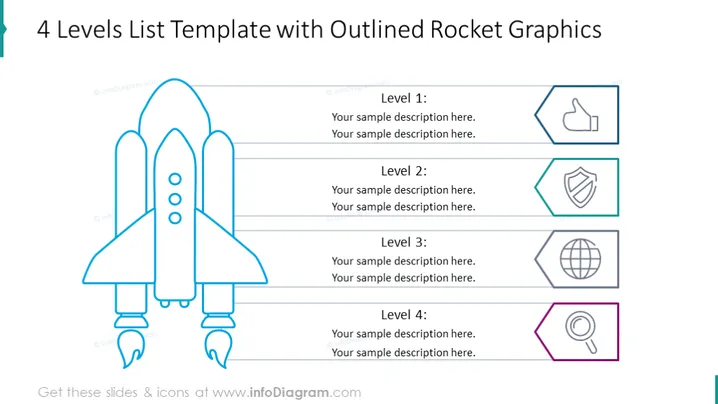
The slide is titled "4 Levels List Template with Outlined Rocket Graphics" and appears to break down a concept or strategy into four stages or levels, each with its own icon and space for a description. Level 1 has a thumbs-up icon, suggesting an approval or a positive start. Level 2 features a shield, which may symbolize protection or stability. Level 3 displays a globe, implying a global scale or reach. Level 4 shows a magnifying glass over a document, representing inspection or review.
Graphical Look
- A prominent outlined illustration of a rocket positioned on the left side of the slide, symbolizing progress or launch.
- Four rectangular areas aligned horizontally to the right of the rocket, each dedicated to one of the four levels mentioned.
- Each level has a distinct icon:
- Level 1: A thumbs-up icon within a hexagon, indicating approval or positivity.
- Level 2: A shield within a hexagon, suggesting security or defense.
- Level 3: A stylized globe within a hexagon, denoting international or global aspects.
- Level 4: A magnifying glass over a document within a hexagon, implying analysis or scrutiny.
- A simple color palette with the icons and level titles highlighted in a light blue, providing a clean and professional look.
- Thin lines connect the rocket illustration to each of the four levels, creating a visual path or flow from the rocket to the list items.
The overall look of the slide is clean and well-organized, with the rocket graphic providing a thematic emphasis on progression or growth. The use of icons adjacent to text placeholders makes the information easily digestible and visually engaging.
Use Cases
- Presenting project stages within a company, with each level representing a phase of project development or milestone.
- Outlining a product launch strategy in a business presentation, using the rocket as a metaphor for the launch and the levels as key steps in the marketing plan.
- Describing a step-by-step process in an educational or training session, where each level is a skill or knowledge point to be achieved.
- Explaining organizational goals or achievements in terms of stages, with each icon representing a different area of success or focus.
How to Edit
How to edit text & colors

How to expand / shorten diagram

How to Replace Icons in infoDiagram PPT


