
Reviews
Sus gráficos añaden un toque agradable a mis presentaciones y recientemente los usé para una de mis reuniones generales. Su conjunto de herramientas añade profesionalismo a mis diapositivas. En lugar de usar imágenes prediseñadas estándar.
Necesitaba un aspecto fresco para algunas de mis diapositivas. Había intentado encontrar una forma de crear un efecto de pincel, de subrayar, acentuar, añadir algo de color y los marcadores escritos a mano fueron justo lo que necesitaba. Muy fácil de usar, fácil de ajustar el tamaño, cambiar el color. Fue una solución asequible y perfecta, y estoy feliz de recomendarla.
El aspecto nítido y limpio de los gráficos, y el hecho de que me permitiera editar y cambiar fácilmente los colores para que coincidieran con la plantilla fue mi principal razón para comprarlos.
Description
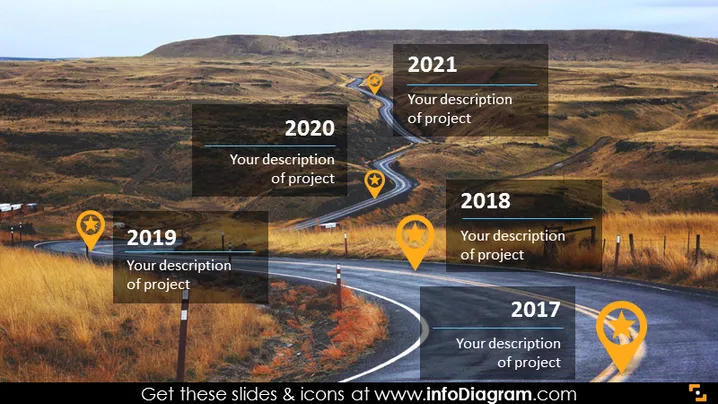
Curvy Road Picture with Strategy Milestones Landmarks
Slide Content:
The PowerPoint slide depicts a project roadmap using a winding road as a metaphor for progress over time. Each twist in the road is marked with a year from 2017 to 2021, accompanied by a location pin icon and a placeholder for a project description. This visual metaphor suggests a journey with multiple stages, each year representing a significant milestone or phase in the project's development.
Graphical Look:
- A curving road that meanders through a hilly landscape, serving as the central metaphor for the project timeline.
- Location pin icons with star symbols, each associated with a year from 2017 to 2021, placed at turns in the road.
- Text boxes adjacent to each pin icon, intended for brief descriptions of project milestones.
- The road, landscape, and icons are overlaid on a realistic background image of a rural, hilly area.
- The overall color scheme is natural, with earthy tones dominating the slide.
The slide has a professional yet creative look, utilizing a real-world image to conceptualize the progression of projects over time. The use of icons and transparent text boxes integrates the metaphorical and literal elements seamlessly.
Use Cases:
- To present the timeline of a project's development stages in a business meeting.
- For an annual review meeting to showcase the progress and milestones achieved each year.
- In a pitch to investors or stakeholders to illustrate the planned progression of a project.
- As part of a training or orientation session to explain the historical development of a program or initiative.
How to Edit
How to edit text & colors

How to expand / shorten diagram

How to Replace Icons in infoDiagram PPT


